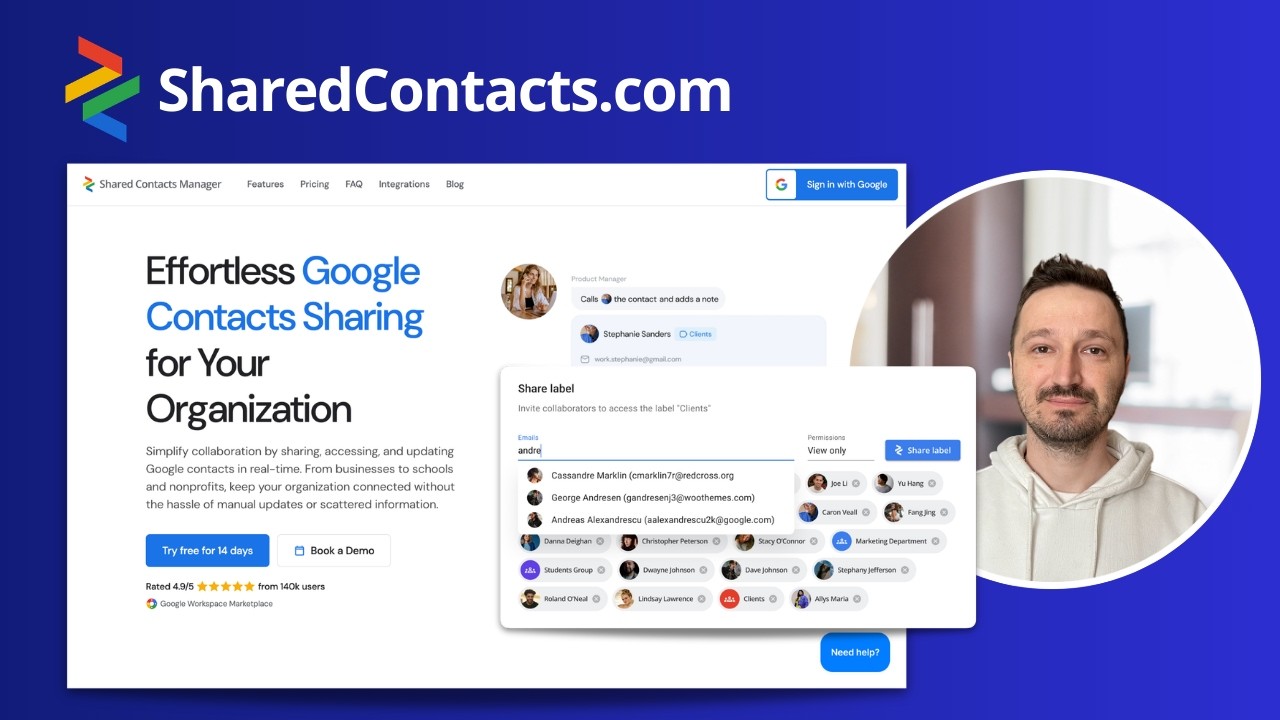
Mühelose Freigabe von Google-Kontakten für Ihr Unternehmen

Vereinfachen Sie die Zusammenarbeit, indem Sie Google-Kontakte in Echtzeit teilen, abrufen und aktualisieren. Ob Unternehmen, Schulen oder gemeinnützige Organisationen – halten Sie Ihr Team verbunden, ganz ohne manuelle Updates oder verstreute Informationen.
Bewertet mit 4.9/5 Rate von 140K nutzer Google Workspace-Marktplatz Google Workspace-Marktplatz

Sehen Sie sich die Freigabe von Google-Kontakten genauer an

Team-Zusammenarbeit

Flüssige Kontaktfreigabe für Ihr Team

Optimize contact management and collaboration across your organization. Keep everyone in sync with just a few clicks, eliminating the chaos of scattered contact lists and outdated info.
Illustration der Karte

Kontakte innerhalb Ihrer Domain freigeben

Provide perfect collaboration in your team. Share contacts within your domain and keep your entire team aligned with a unified contact list.
Illustration der Karte

Kontaktfreigabe auf externe Domains ausweiten

Extend contact sharing to partners, clients, or collaborators in other domains. Stay connected with key contacts, no matter where they are.
Illustration der Karte

Share Google Contacts with Any Gmail User

Teilen Sie Google-Kontakte ganz einfach mit beliebigen Gmail-Nutzer:innen. Alle bleiben dank Echtzeit-Updates verbunden.
Illustration der Karte

Active-Directory-Kontakte synchronisieren und freigeben

Synchronisieren Sie Ihr LDAP mit Google Workspace, um Ihre Kontaktliste automatisch zu aktualisieren und firmenweit zu teilen.
Sicherheit und Datenschutz

Erweiterte Sicherheit für volle Kontrolle und ruhigen Schlaf

Safeguard your company’s contacts with flexible security features. Shared Contacts Manager puts you in full control. Share your contact data only with the right people and maintain full compliance with security standards.
Illustration der Karte

Benutzerberechtigungen festlegen

Control who can view, edit, or manage each contact label. Grant specific access to individual team members based on their roles and responsibilities
Illustration der Karte

Gruppenberechtigungen zuweisen

Manage permissions for entire teams or departments at once. Apply permissions across groups for consistent and secure contact sharing.
Illustration der Karte

Kontaktbesitz übertragen

Easily transfer ownership of contacts when roles change or employees leave. Keep your contacts secure and properly managed, regardless of staff transitions.
Illustration der Karte

Sicherheit auf Enterprise-Niveau

Rely on top-tier encryption and compliance with industry standards. Protect your data with the same level of security trusted by leading enterprises worldwide.
Zugänglichkeit

Greifen Sie jederzeit und überall auf Kontakte zu

Stay connected and organized with easy access to your contacts across all devices and applications. Shared Contacts Manager keeps all your contact information relevant and readily accessible.
Illustration der Karte

Einmal aktualisieren – für alle sichtbar

Make a change to a contact, and it updates automatically for all users. Deliver everyone the latest information in seconds.
Illustration der Karte

Automatische Synchronisierung

Never worry about outdated information again. Our system automatically syncs contacts across devices and applications every hour without delays or manual work.
Illustration der Karte

Zugriff auf Kontakte in allen Apps und Geräten

Enjoy flawless integration with your favorite tools and platforms. Access your contacts wherever you work—on desktop or mobile.
Illustration der Karte

Vertraute Benutzeroberfläche

Benefit from an intuitive, familiar interface, just like everything in the Google ecosystem. It makes managing your contacts simple and efficient.

Erste Schritte mit Shared Contacts Manager

Sehen Sie selbst, wie einfach das Verbinden, Organisieren und Teilen von Kontakten sein kann.
Illustration der Karte

Preise, die zu Ihrem Unternehmen passen
Ermitteln Sie die genauen Kosten mit unserem Preisrechner. Jede Person, die auf geteilte Kontakte zugreift, benötigt eine Lizenz. Transparent, fair und auf Sie zugeschnitten.
Alle Funktionen inklusive
14 Tage kostenlos testen
Keine Kreditkarte erforderlich
Wie viele Lizenzen benötigen Sie?
$2 pro Benutzer/Monat
Gesamt
$2/Monat
Abgerechnet mit $36 $24 jährlich
Preis exklusive Steuern, je nach Region unterschiedlich.
Bild

Fragen? Wir haben die Antworten

Besuchen Sie unsere FAQ-Seite für klare Antworten und hilfreiche Tipps
FAQ anzeigen

Vertraut von Tausenden Teams weltweit

Von Startups bis Großunternehmen – Shared Contacts Manager passt zu allen.
Markenlogo Markenlogo
Les Lazareck
Les Lazareck Home Energy Connection

This tool has significantly streamlined our operation by providing our team of four to have the ability to quickly access contact information, make notes and updates for all to see. I recommend this software tool for groups frustrated that Google does not provide the ability to share contacts. This tool is magical. Is was very easy to implement and the support provided was amazing. This software is used all day, everyday.

Olivia Bennet
Olivia Bennet Project Lead
We finally found a simple solution to organize all our clutter. What I love most is the flexibility. I can customize contacts exactly how I want and easily share access with my team. My colleagues have no idea where all our business contacts suddenly came from. But the best thing is that I can edit or update them anytime and they all see those changes. It’s incredibly convenient!
Greg Paul
Greg Paul Inskin Media
Extremely simple plugin for sharing contacts in Gmail. It takes merely a few minutes to set up and then you are good to go. You get contacts shared across your team that stay in sync all the time.
David Torres
David Torres Field Service Manager

For field technicians who mainly work remotely, having access to updated client contact information on their mobile devices has been a lifesaver. With Shared Contacts Manager they always have the right phone numbers and emails. It’s improved our response times and made communication between the office and field teams smoother than ever.

S
Shehzad M. Small business owner

Excellent. With this app for managing shared contacts for Gmail, I was able to share all the client contacts with my staff easily. Customer support is really good.

James Carter
James Carter Regional Manager

This app transformed how we communicate across regions. Managing contacts across multiple locations used to be a nightmare for our company until we tried this tool. With Shared Contacts Manager, we’ve finally managed to unify contact management.

Lisa Murdock
Lisa Murdock Office Administrator

Before using this, I was constantly forwarding contact details between teams in our company. Now, everyone just has access to the same updated lists automatically without digging through emails or asking around for the right number. The app saves us tons of time because no one has to track down a contact anymore. They just have it, even on their phones. It’s amazing.

Shepherd Joshua
Shepherd Joshua Shofar Christian Church
Using this for the church staff and love it. I can share my google contacts with others, make changes to one of our members contact information and it is updated on everyone's address book at the same time.
Megan Kabeya
Megan Kabeya Figaro Family Group
Our Membership information changes so much and it is hard to manage alone. This tool for Gmail shared contacts helps my team keep all the information up to date! We share Google contacts between accounts every day, this tool is a must.
K
Katie W. CEO, Clinical Director
Shared contacts manager allows me to seamlessly share contacts and databases with my team of 23. Customer service is excellent and support efficient. Google contacts is not set up to share lists and contacts among team members. Shared contacts manager addresses that need for us.
Michael Rolling
Michael Rolling IT Manager

We needed a way not only to share contacts within the team but also to enable multiple users to add new and edit existing contacts, and this tool does exactly that. The permission settings are great. It prevents accidental changes while still letting the right people update details when needed.

Nadia Syafruddin
Nadia Syafruddin Head of HR
This is an amazing product, and the price is very reasonable. It fixes the biggest issue we had with employees unable to share google contacts with another user without going into a CRM. Thanks so much!

Testen Sie Shared Contacts Manager noch heute

Legen Sie gleich los – testen Sie die App kostenlos oder buchen Sie eine Demo.
Bewertet mit 4.9/5 Bewerten Sie von 140K nutzer Google Workspace-Marktplatz Google Workspace-Marktplatz