400 admin_policy_enforced fejl: Hvad er det, og hvordan løser man det?
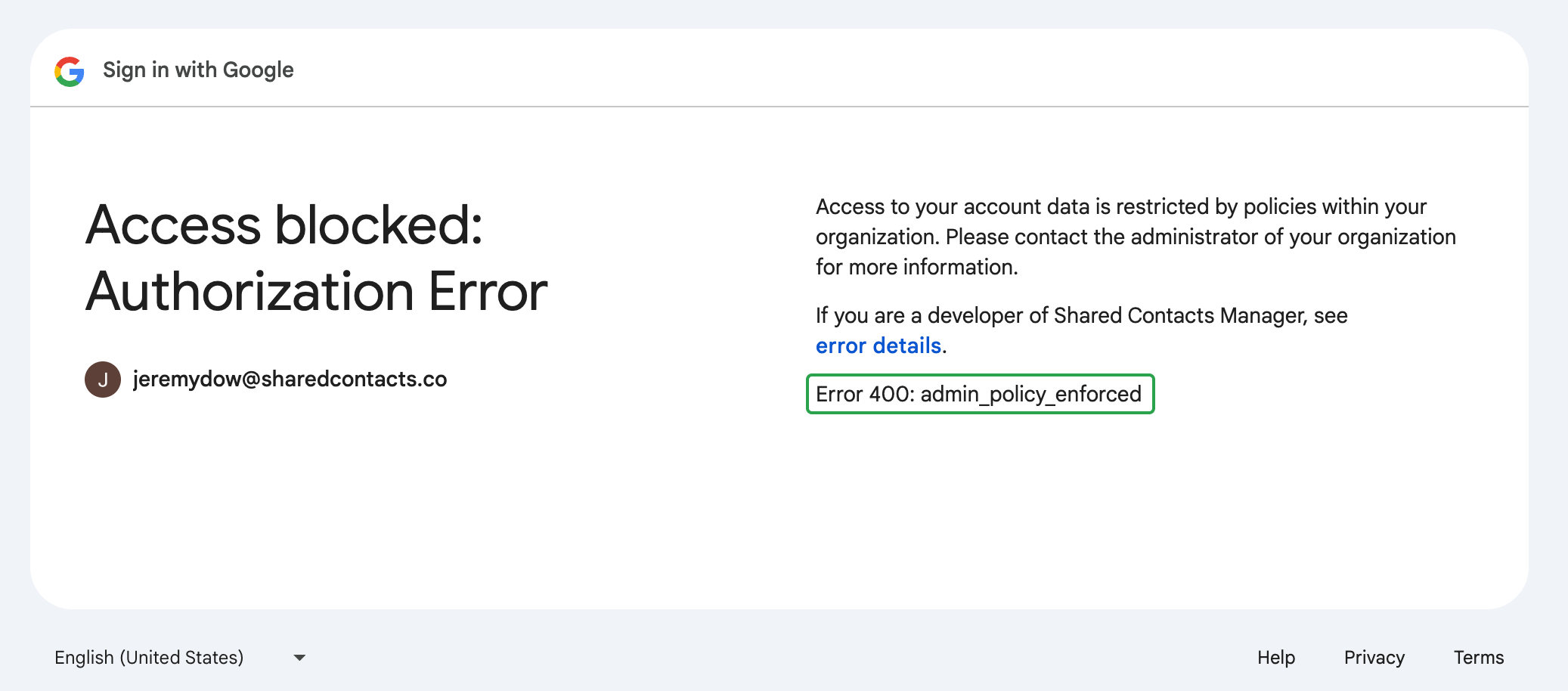
Den "400 admin_policy_enforced" error means that your Google Workspace administrator has set a policy preventing you from accessing SharedContacts.com as it’s a third-party application.
Here’s our detailed, step-by-step guide on how to quickly solve the 400 admin_policy_enforced error in Google Workspace. Watch and restore access to SharedContacts.com in no time.
Users can’t fix this error on their own. The issue is related to policies set at the administrator level. If you see this error message on your screen when trying to log in or access your SharedContacts.com account, you’ll need to contact your Google Workspace-administrator for at løse det.
Hvis du er Google Workspace-administrator
If users in your Google Workspace domain encounter the “400 admin_policy_enforced” error, it indicates there is a policy blocking their access to SharedContacts.com. Most likely it’s third-party app access restrictions.
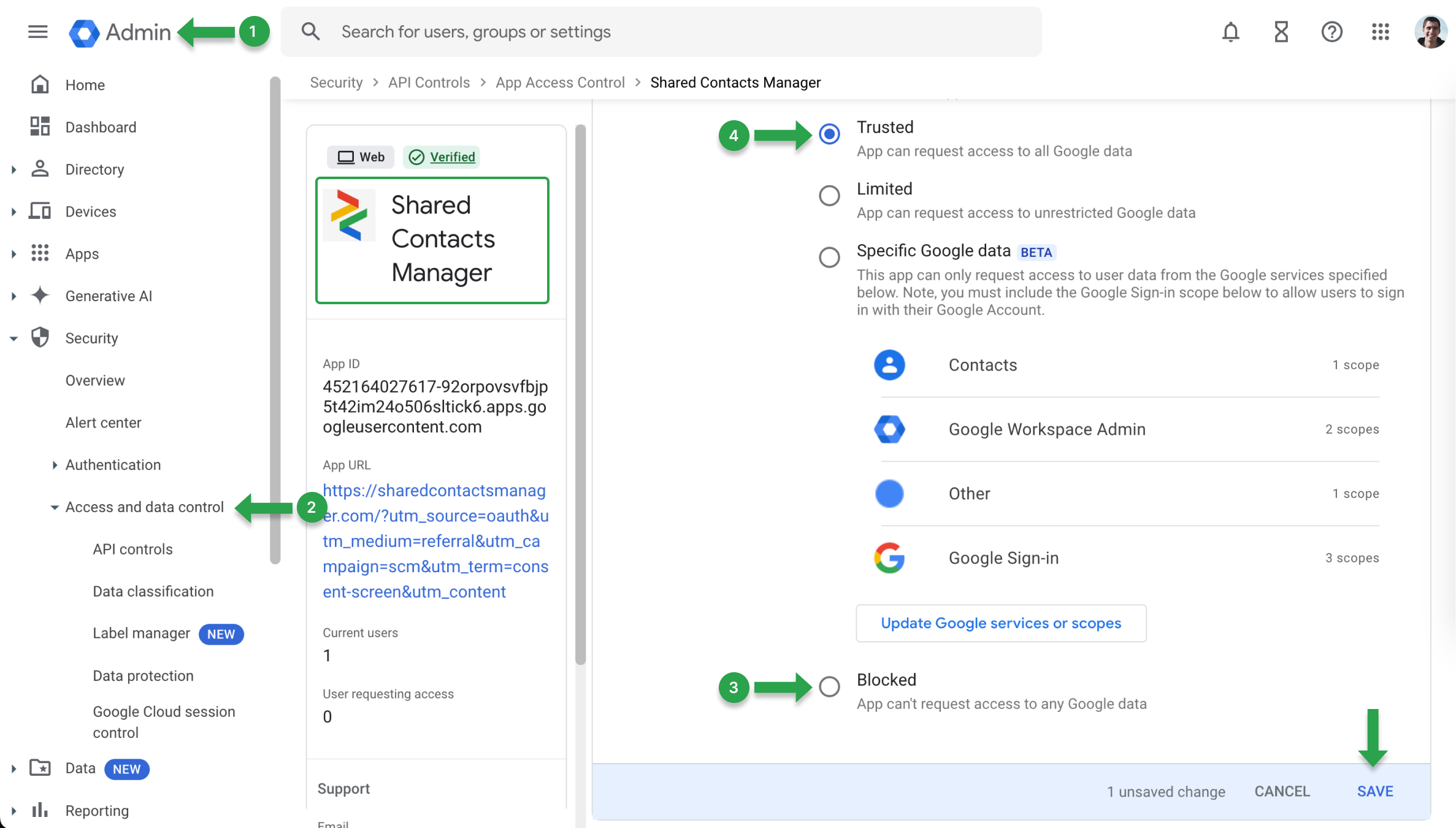
For at fjerne disse begrænsninger skal du opdatere dine app-adgangspolitikker:
- Gå ind på Google Admin Console.
- Find Sikkerhed og vælg API-kontroller.
- Søg efter SharedContacts.comog under Adgang til Google-data menu, tjek om den er blevet Blokeret.
- Hvis det er Blokeretændre indstillingerne til Betroet og gemme ændringerne.
En anden årsag til fejlen "400 admin_policy_enforced" kan være, at en Google-tjeneste er blokeret. For at bekræfte dette skal du kontrollere servicestatus i Google Admin Console:
- Gå ind på Google Admin Console.
- Naviger til Apps og vælg Google Workspace.
- Vælg den specifikke tjeneste, som brugeren har problemer med.
- Tjek, om tjenesten er På for brugerens organisatoriske enhed (OU). Hvis den er slået til Fra, skift den til På for at genoprette adgangen.