400 admin_policy_enforcedエラー:それは何ですか?
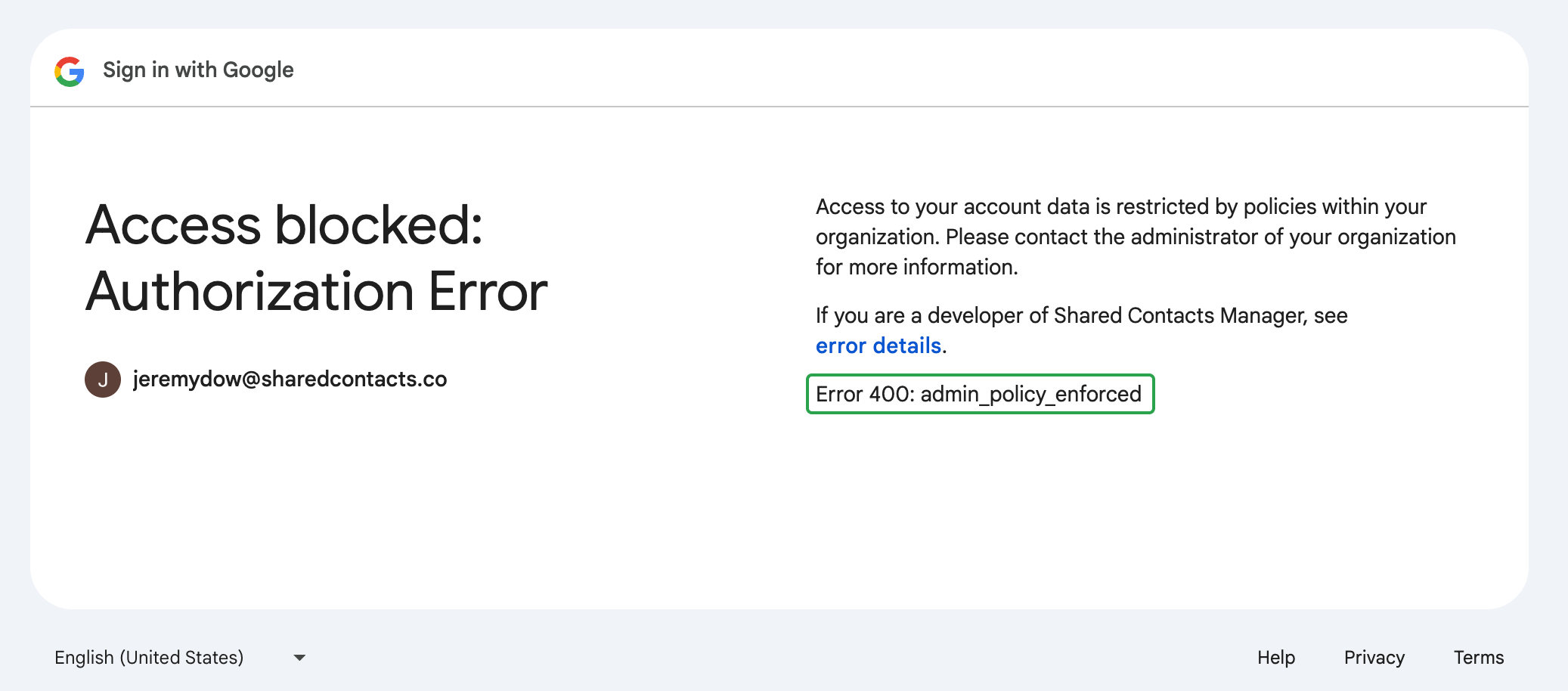
について "400 admin_policy_enforced" error means that your Google Workspace administrator has set a policy preventing you from accessing SharedContacts.com as it’s a third-party application.
Here’s our detailed, step-by-step guide on how to quickly solve the 400 admin_policy_enforced error in Google Workspace. Watch and restore access to SharedContacts.com in no time.
Users can’t fix this error on their own. The issue is related to policies set at the administrator level. If you see this error message on your screen when trying to log in or access your SharedContacts.com account, you’ll need to contact your Googleワークスペース管理者 それを解決するために
Google Workspace管理者の場合
If users in your Google Workspace domain encounter the “400 admin_policy_enforced” error, it indicates there is a policy blocking their access to SharedContacts.com. Most likely it’s third-party app access restrictions.
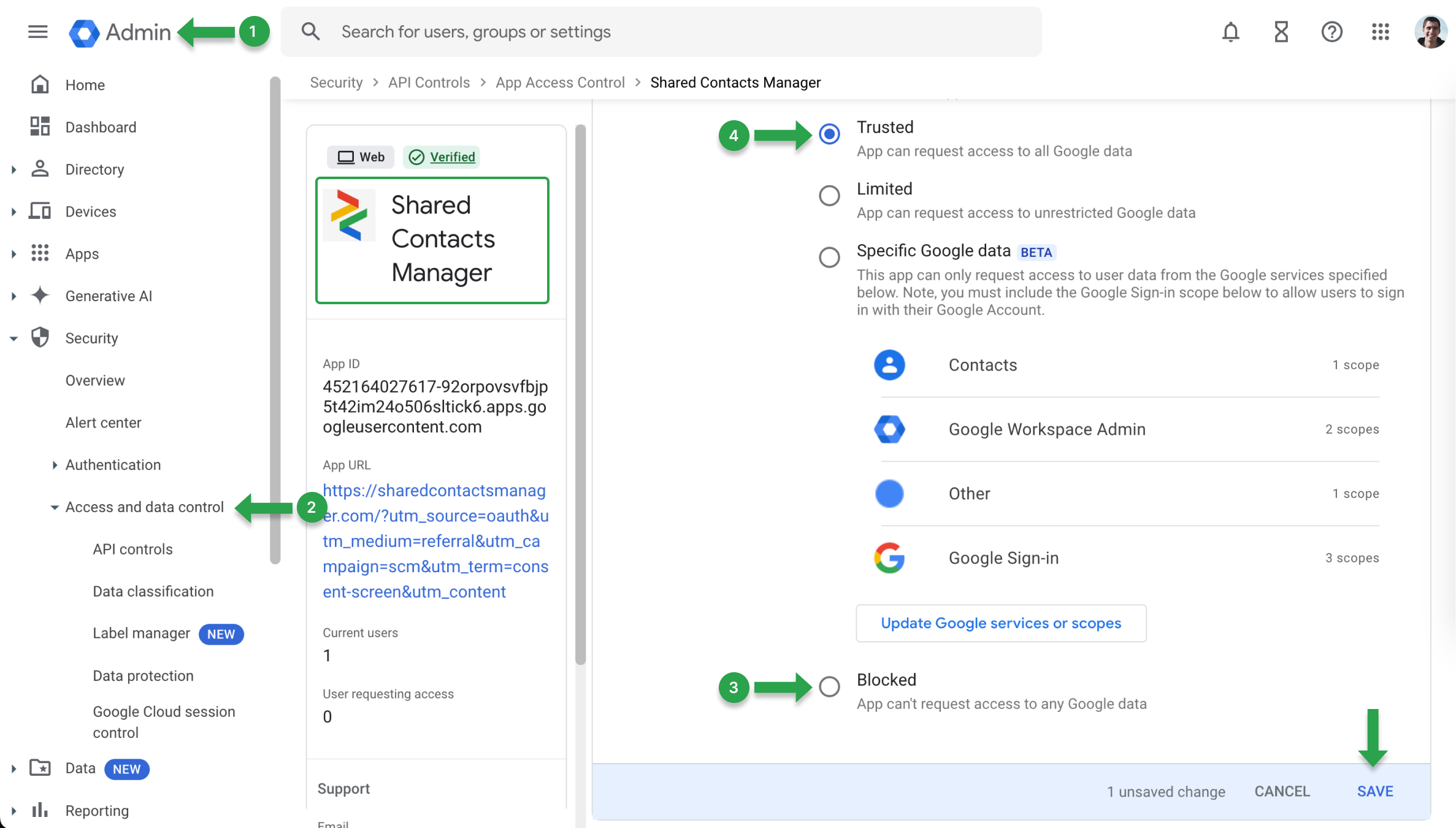
これらの制限を解除するには、アプリのアクセスポリシーを更新してください:
- に行く。 Googleアドミンコンソール.
- 探す セキュリティ を選択する。 APIコントロール.
- 検索 SharedContacts.comそして Googleデータへのアクセス メニューが表示されているかどうかを確認してください。 ブロック.
- もしそうなら ブロックに設定を変更する。 信頼できる をクリックし、変更を保存します。
400 admin_policy_enforced "エラーが発生するもう1つの原因は、Googleのサービスがブロックされている可能性があります。これを確認するには Googleアドミンコンソール:
- に行く。 Googleアドミンコンソール.
- に移動する。 アプリ を選択する。 Googleワークスペース.
- ユーザーが困っている特定のサービスを選択します。
- サービスが オン をユーザーの組織単位(OU)に設定します。もし オフに切り替える。 オン にアクセスできるようになります。