通过 Google Workspace 与团队共享更少恼人的 CRM 联系人,节省 CRM 开支

客户关系管理系统功能强大,但往往成本高昂,对许多企业来说过于复杂。高昂的价格和复杂的功能会让小型企业或预算有限的企业无法使用这些工具。对于需要有效联系人管理解决方案的企业来说,像 Less Annoying 这样的 CRM 为跨团队管理联系人提供了一种很好的方法。但是 个人许可证费用 这可能会成为每个团队成员的经济负担。
Tools like SharedContacts.com, which integrates perfectly with Google Workspace, suggest a way out. This app provides a practical and cost-effective alternative for businesses focused on maintaining efficient contact management. SharedContacts.com connects effortlessly to your Google account, giving you access to all your contacts, including those imported from Less Annoying CRM.
该集成可让您的团队直接访问 Gmail 中的联系人,如 Gmail 的共享联系人这样,您就可以与组织内外的任何人共享联系人信息,而无需支付传统 CRM 的高昂费用。
SharedContacts.com is an application designed to work within Google Workspace, offering an intuitive and user-friendly interface. It enables businesses to maintain and share contact information effortlessly, ensuring team members have access to the contacts they need without having to buy multiple expensive CRM licenses. By adopting SharedContacts.com, businesses can enjoy the benefits of streamlined contact management while significantly reducing their CRM expenses.
在谷歌通讯录中创建标签
首先,你需要创建一个联系人文件夹或 "标签",它将与 Less Annoying CRM 同步,并包含可共享的联系人信息。
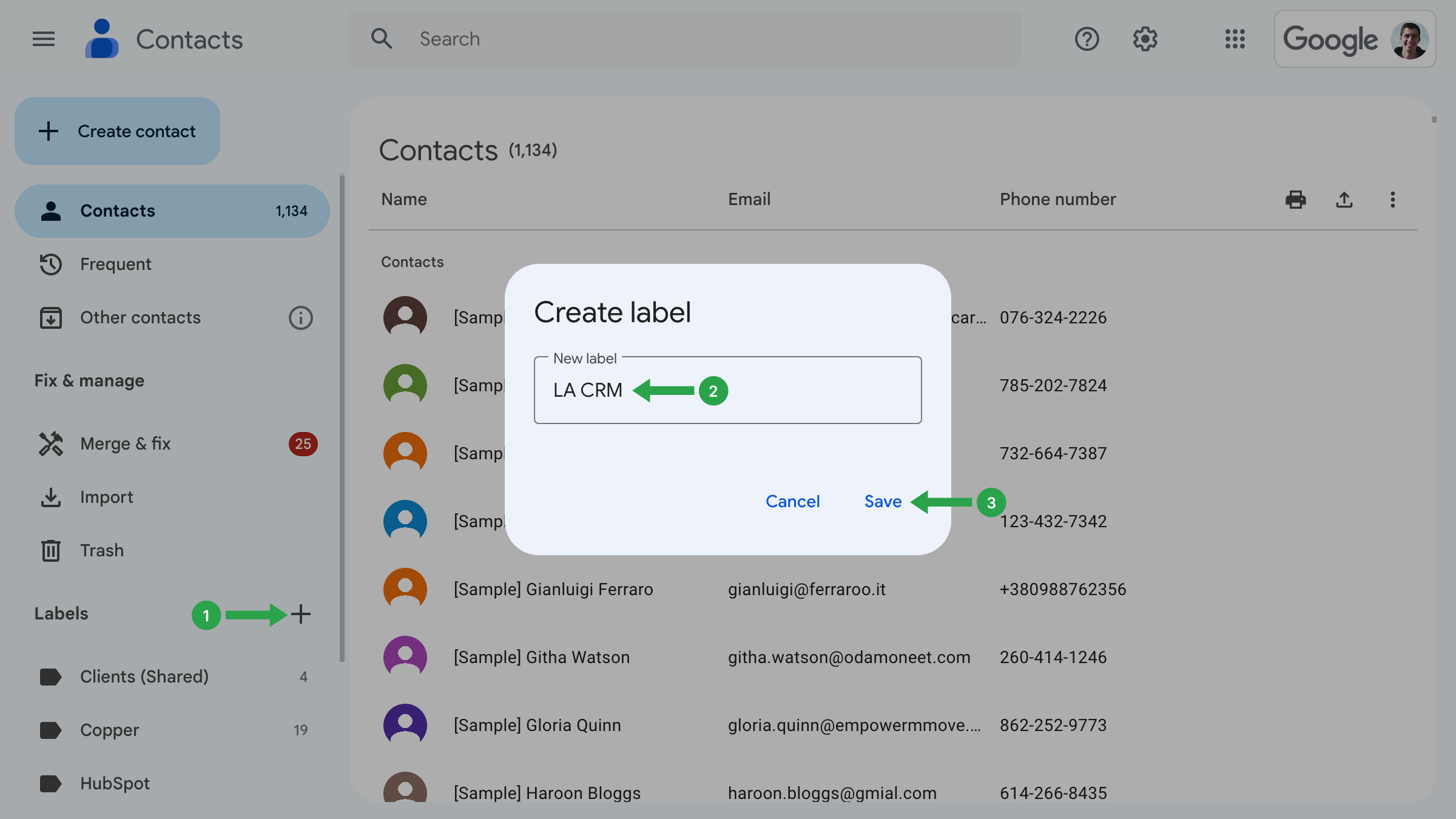
- 登录谷歌通讯录并 点击 "+ 图标。
- 在创建标签窗口中、 输入名称 为标签。选择一个易于识别的名称,如 LA CRM。
- 点击 节省 来完成标签的创建。
下一步是配置 Annoying CRM,以便与 Google 账户正确集成。
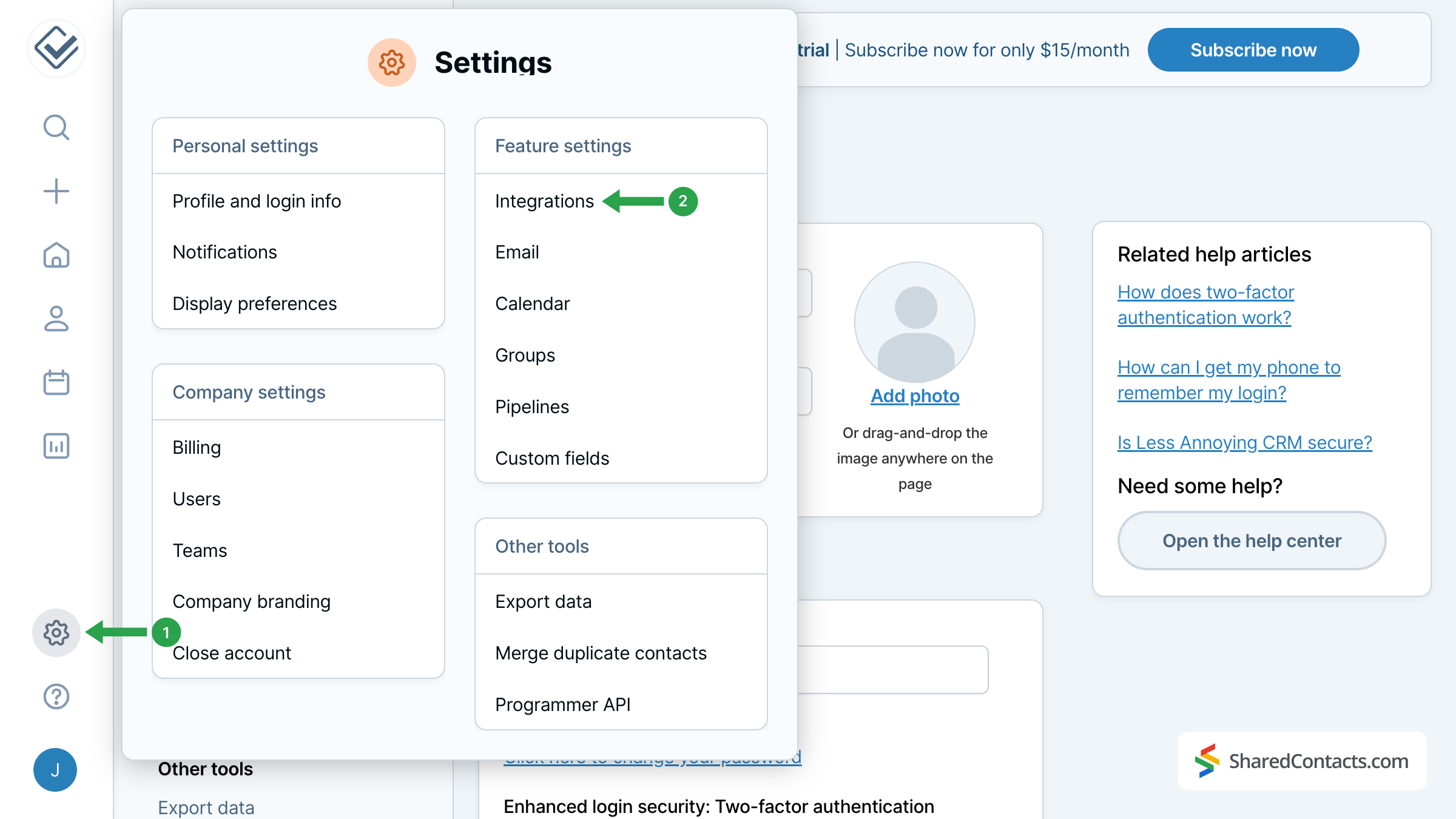
- 前往左侧菜单栏中的 "烦人 CRM "设置。
- 在功能设置下,点击 集成 来设置集成。
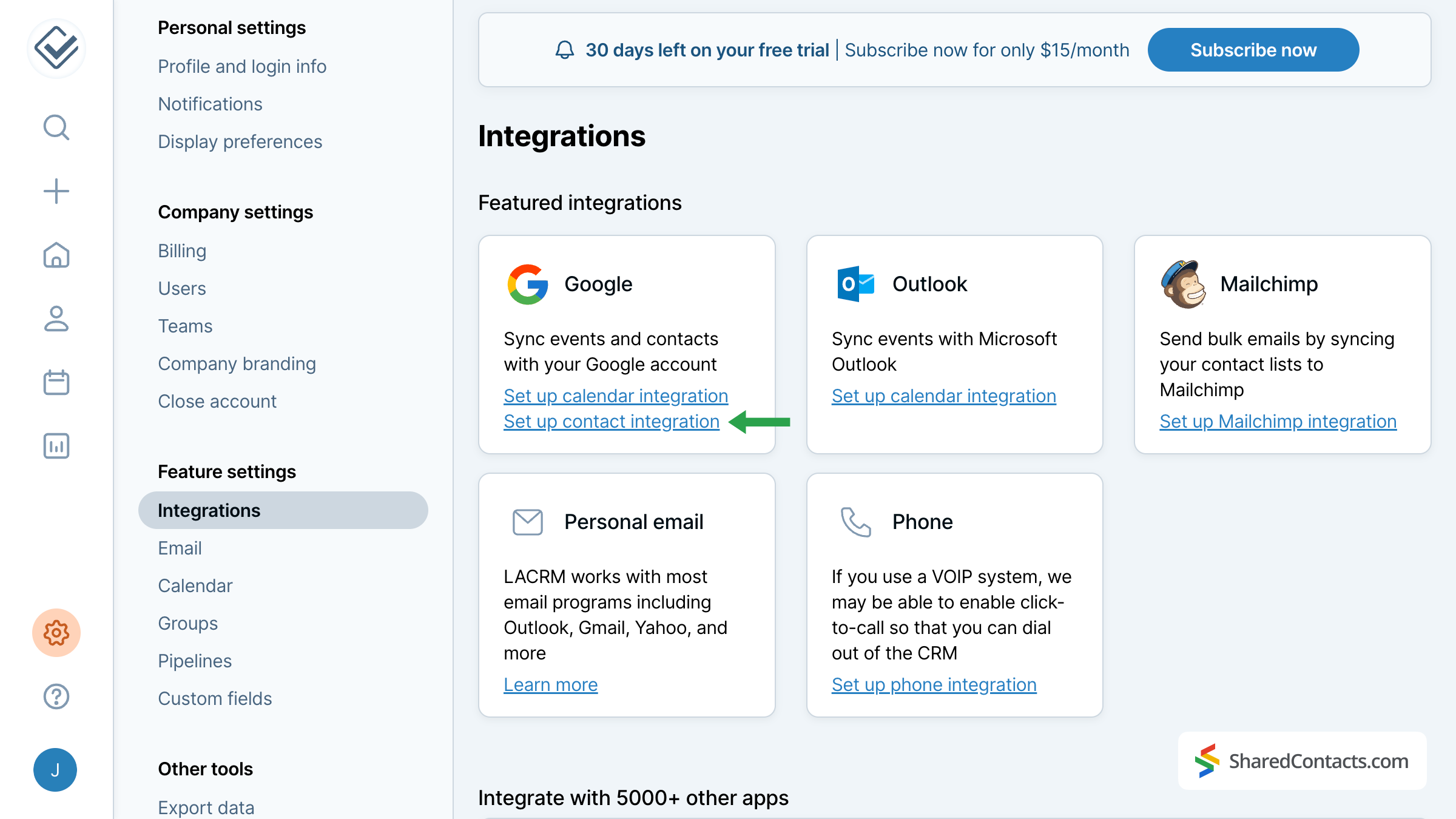
在所有可用选项中,找到并选择 设置联系人集成.下一个窗口将显示有关集成规格和功能的重要信息。我们建议大家阅读后点击"......"。我明白 - 请继续访问 Google 认证页面'在页面底部。
接下来,你需要登录谷歌账户。系统会告知你 Less Annoying CRM 将访问哪些数据以及如何使用这些数据。请允许 CRM 访问您的 Google 账户,以便继续操作。
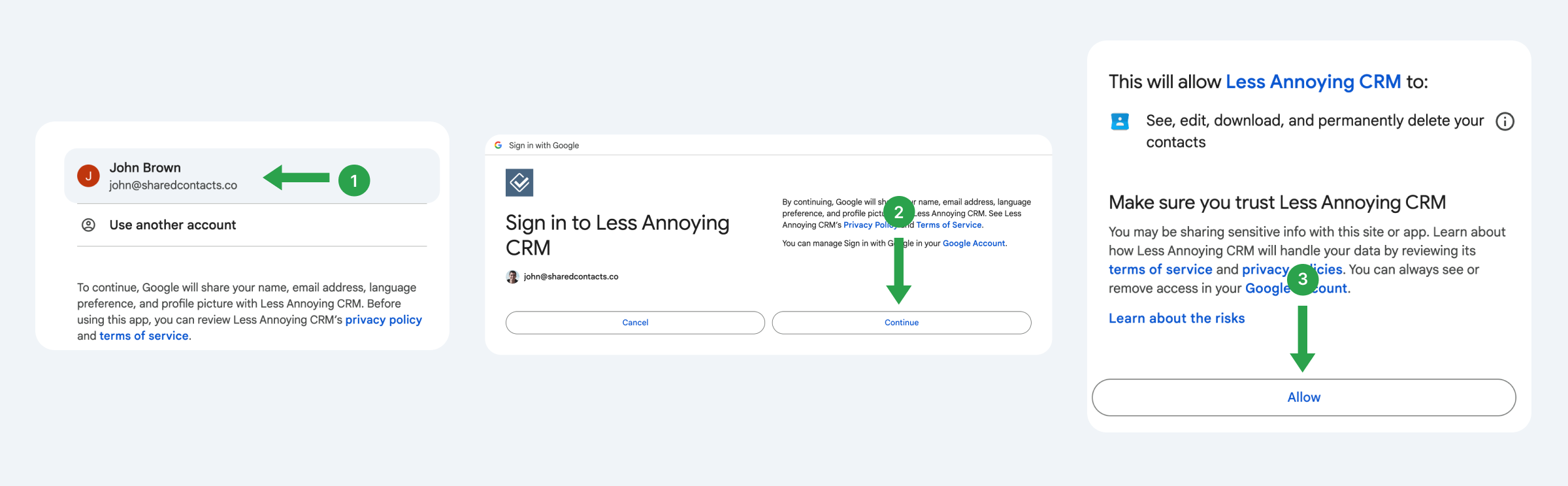
将您的 LA CRM 联系人与 Google 账户同步
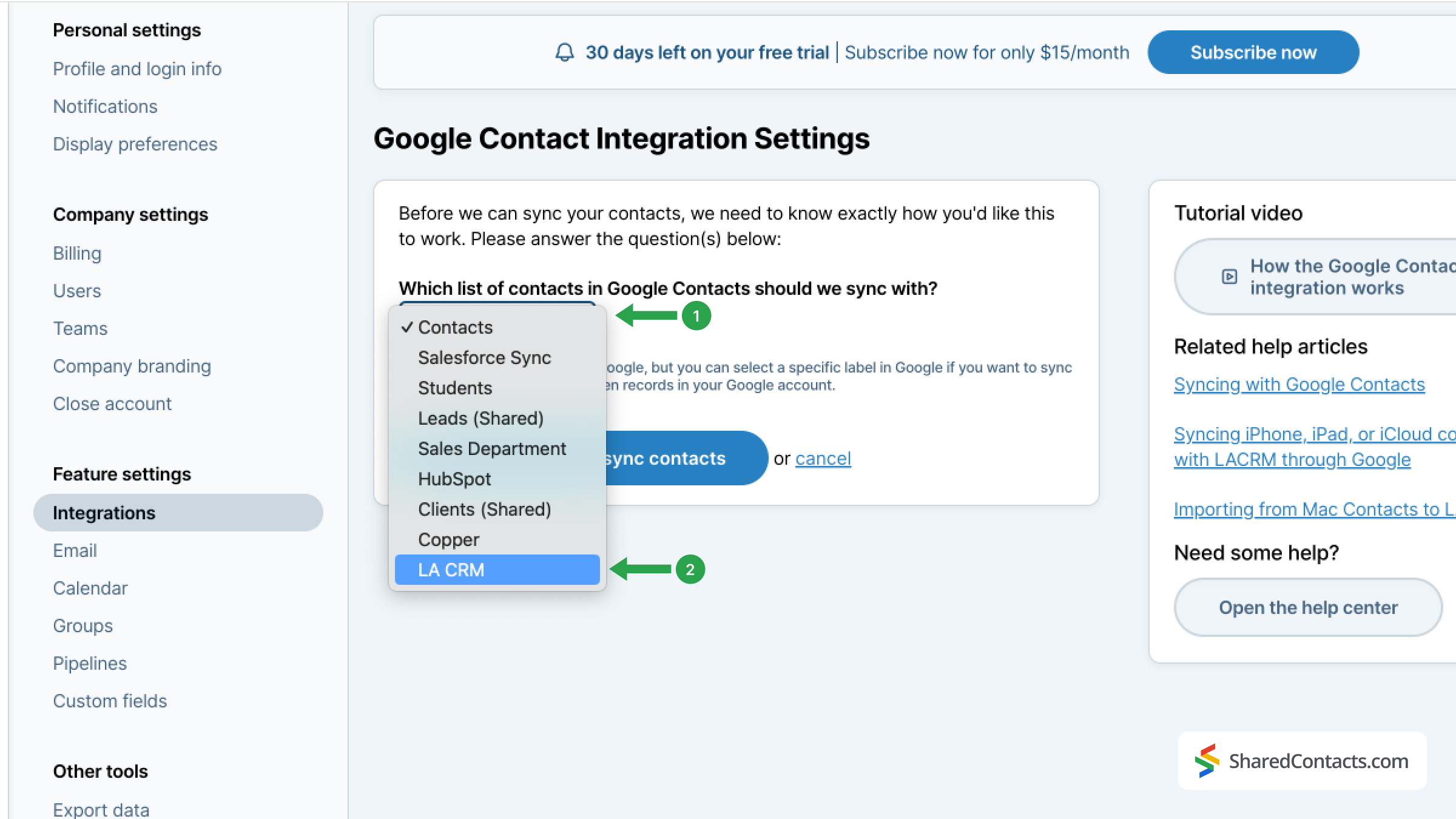
现在您已与 Google 建立联系,是时候为 CRM 联系人提供一个目的地了。
- 单击下拉菜单,查看 Google 联系人中的所有现有标签。
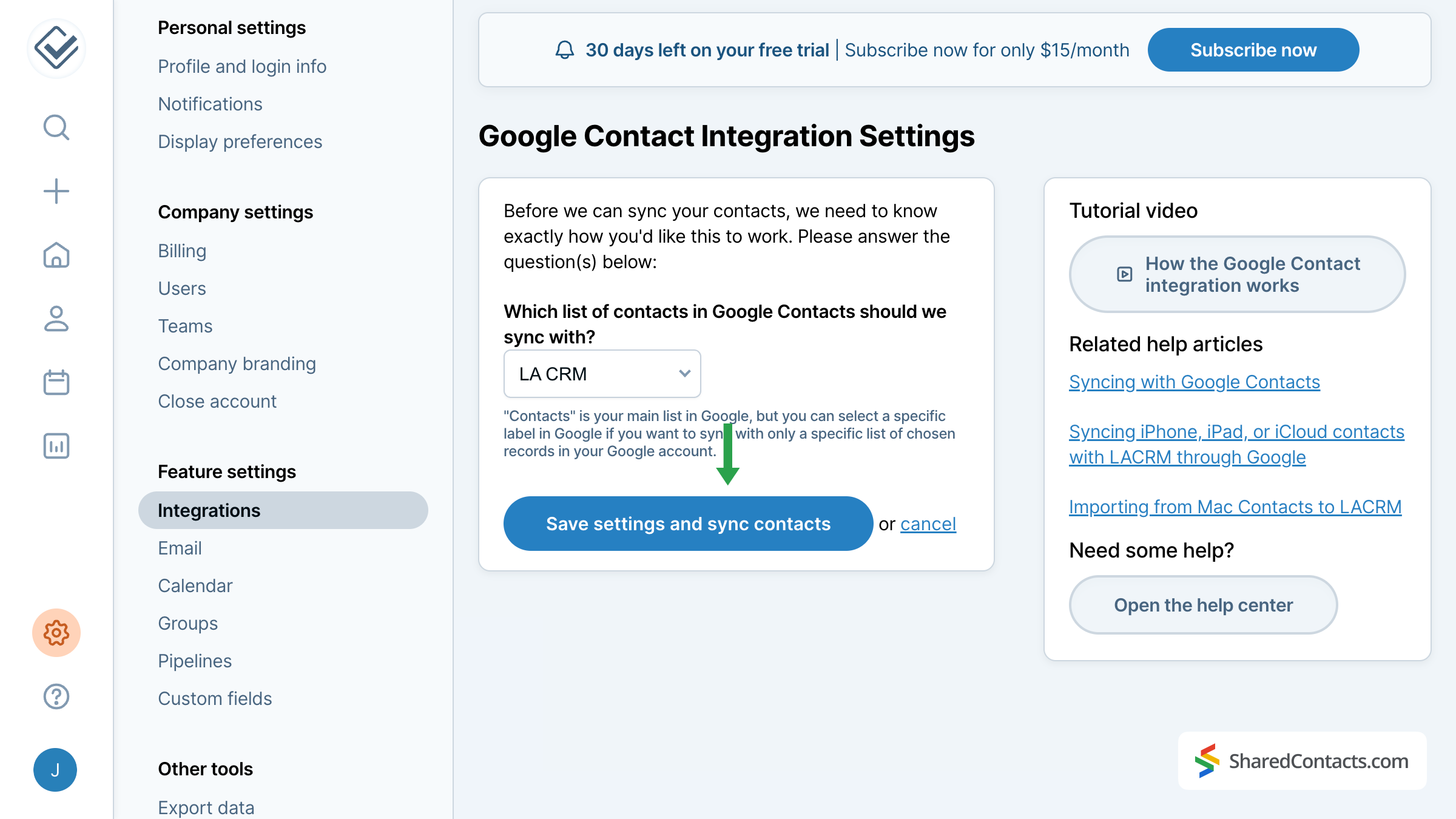
- 选择先前创建的组 - LA CRM,将 Less Annoying CRM 中的所有联系人发送到相应的标签中。
点击 保存设置并同步联系人 以完成同步。
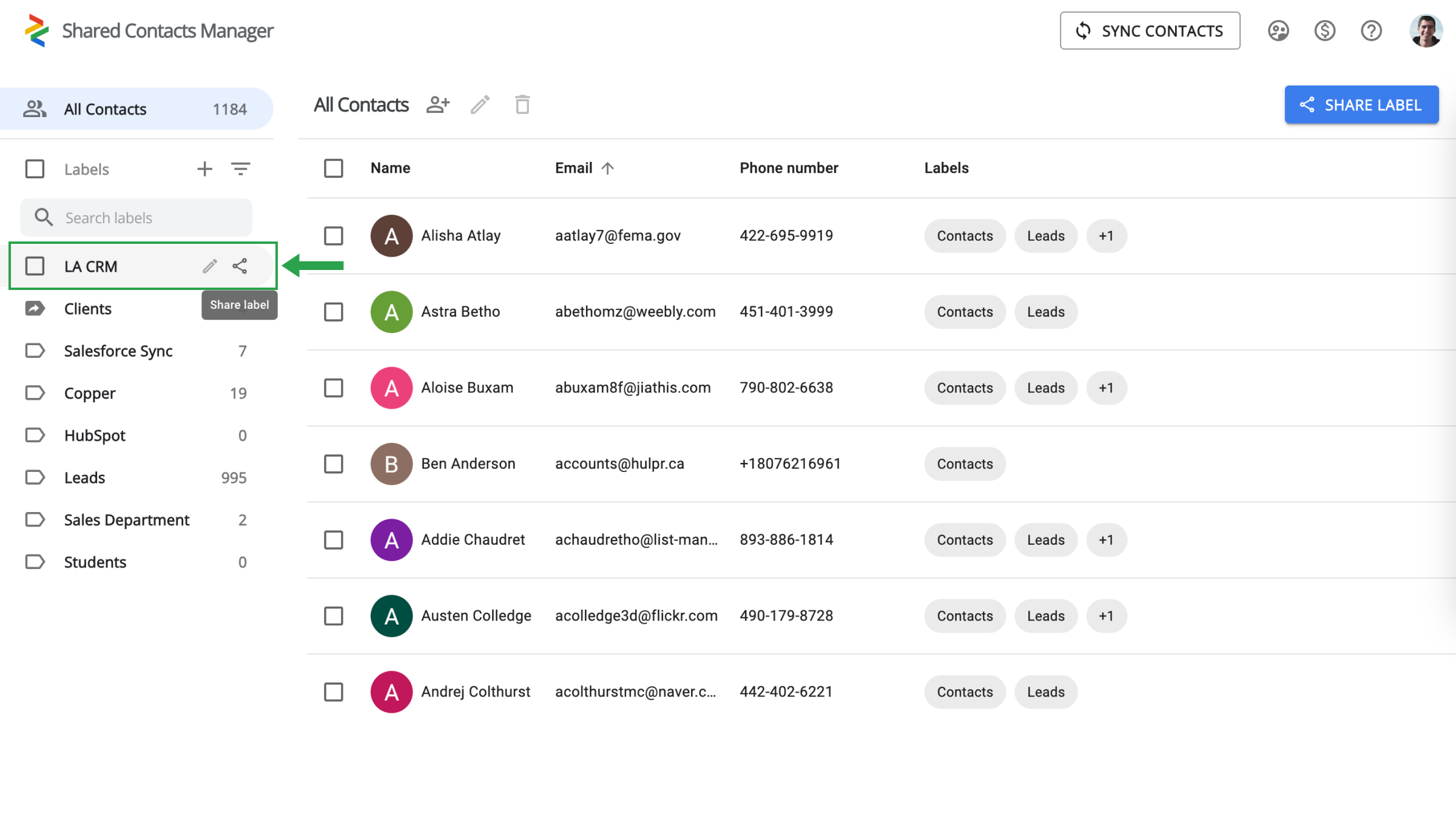
Share Less Annoying CRM contacts with the SharedContacts.com app
Log into your SharedContacts.com account. Click 这里 如果您以前没有使用过该应用程序,请安装它。
In the left sidebar, you will find the LA CRM label you have created in your Google Contacts and connected with the CRM earlier. Select this label and you’ll see all your contact data from Less Annoying CRM here in the SharedContacts.com’s dashboard, ready to be shared with your team members who need access to these contacts.
选择 LA CRM 标签,点击 共享标签 图标或屏幕右上角的 "共享标签 "按钮。
在下一个屏幕中,您可以选择希望授予访问联系人权限的个人,并设置其权限级别。
- 使用以下方法之一添加合作者:
- 单击 "电子邮件 "字段,浏览下拉列表,找到相关人员并单击其姓名。对要授予访问权限的每个团队成员重复此过程。
- 在搜索栏中直接输入或粘贴电子邮件地址。
- 输入同事的姓名,然后点击每个人,将他们逐一添加到列表中。
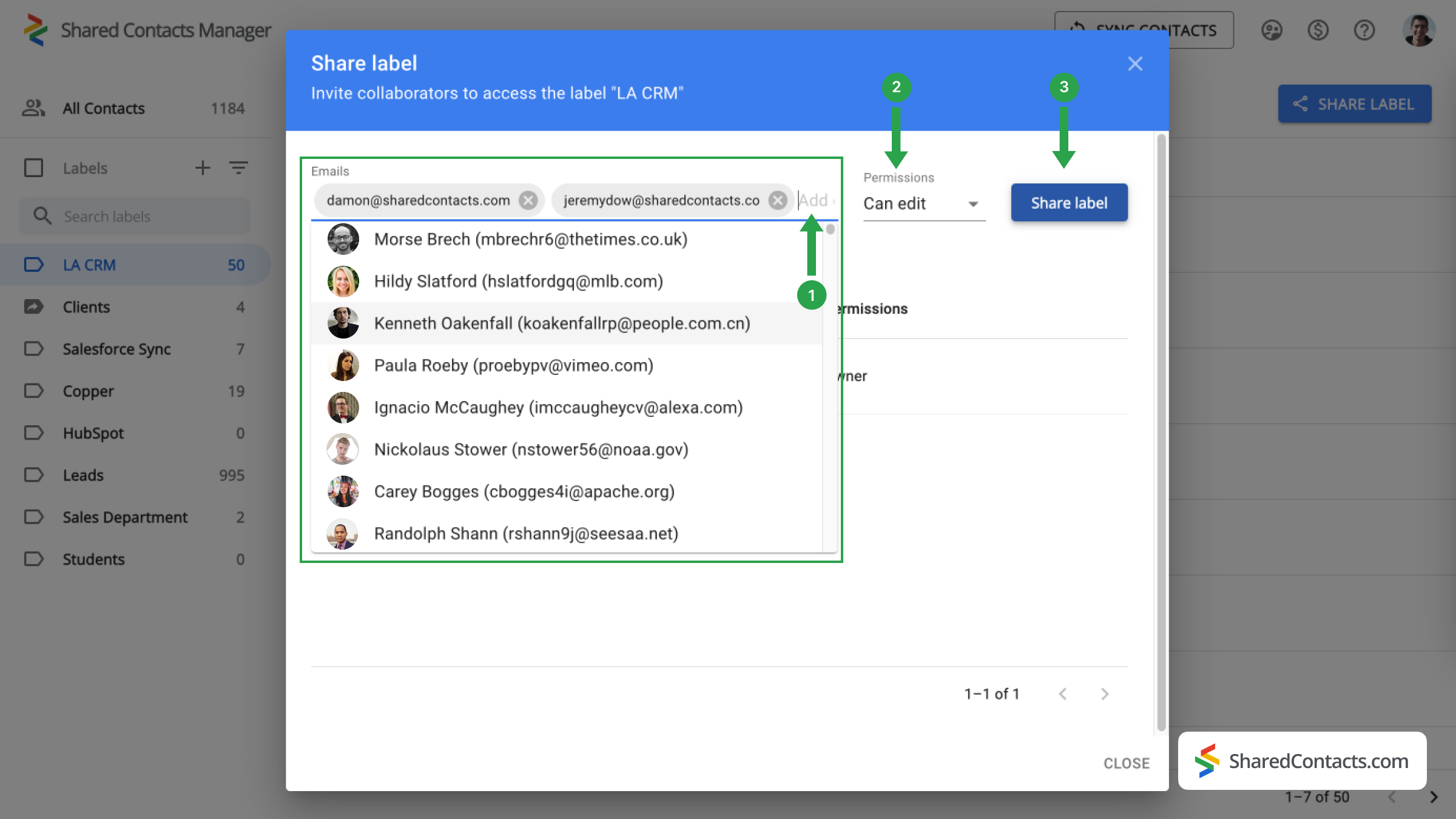
- 设置权限级别。从 权限 菜单。建议向您的同事提供 编辑 这使他们在使用联系人列表时更具灵活性。他们的更新将同步到所有团队成员,并显示最新信息。
- 点击 共享标签您赋予该联系人组访问权限的每个人都可以根据您赋予的权限与标签内的联系人进行交互。
关于减少恼人的 CRM 和 Google 联系人集成的结论
由于 Less Annoying CRM 与 Google Contacts 的无缝集成,用户现在可以获得新的机会。只需一个 CRM 许可证,您就可以将联系人列表与 Google 整合。 SharedContacts.com will automatically connect to your Google account, access all contacts (including those imported from CRM), and allow you to share them with anyone inside or outside your organization. This solution is much more affordable compared to the high cost of CRM licenses required for each team member. Install SharedContacts.com and unlock new benefits for your business.
相关文章
没有评论