将您的 Pipeliner CRM 联系人与谷歌同步,享受完美的联系人集成,几乎无需任何费用

Pipeliner CRM 是一个强大的平台,旨在为各种规模的企业整合客户关系管理。不过,有些企业可能会发现,该系统的综合功能超出了他们的需要,尤其是如果他们主要侧重于管理联系人的话。此外,为每个团队成员提供单独许可证的相关费用可能会迅速增加,因此对于规模较小的企业或初创公司来说不太可行。
Fortunately, there is a much more cost-effective and efficient solution for companies that require contact management capabilities. Integrating Pipeliner CRM with SharedContacts.com within Google Workspace offers a powerful alternative. This integration enables seamless sharing and updating of contacts without the 重税 与多个 CRM 许可证绑定。
With SharedContacts.com, teams can effortlessly collaborate, accessing and managing Pipeliner CRM contacts collectively. 设置简单方便,企业无需花费太多即可提高生产率和加强合作。
Experience the perfect blend of powerful sales CRM capabilities and affordable contact management with Pipeliner and SharedContacts.com. Transform your workflow and boost your team’s efficiency with just a few simple steps.
设置 Pipeliner 以集成谷歌通讯录
Pipeliner 具有与谷歌通讯录集成的本地功能,使集成过程非常简单,无需第三方软件。设置只需几分钟。
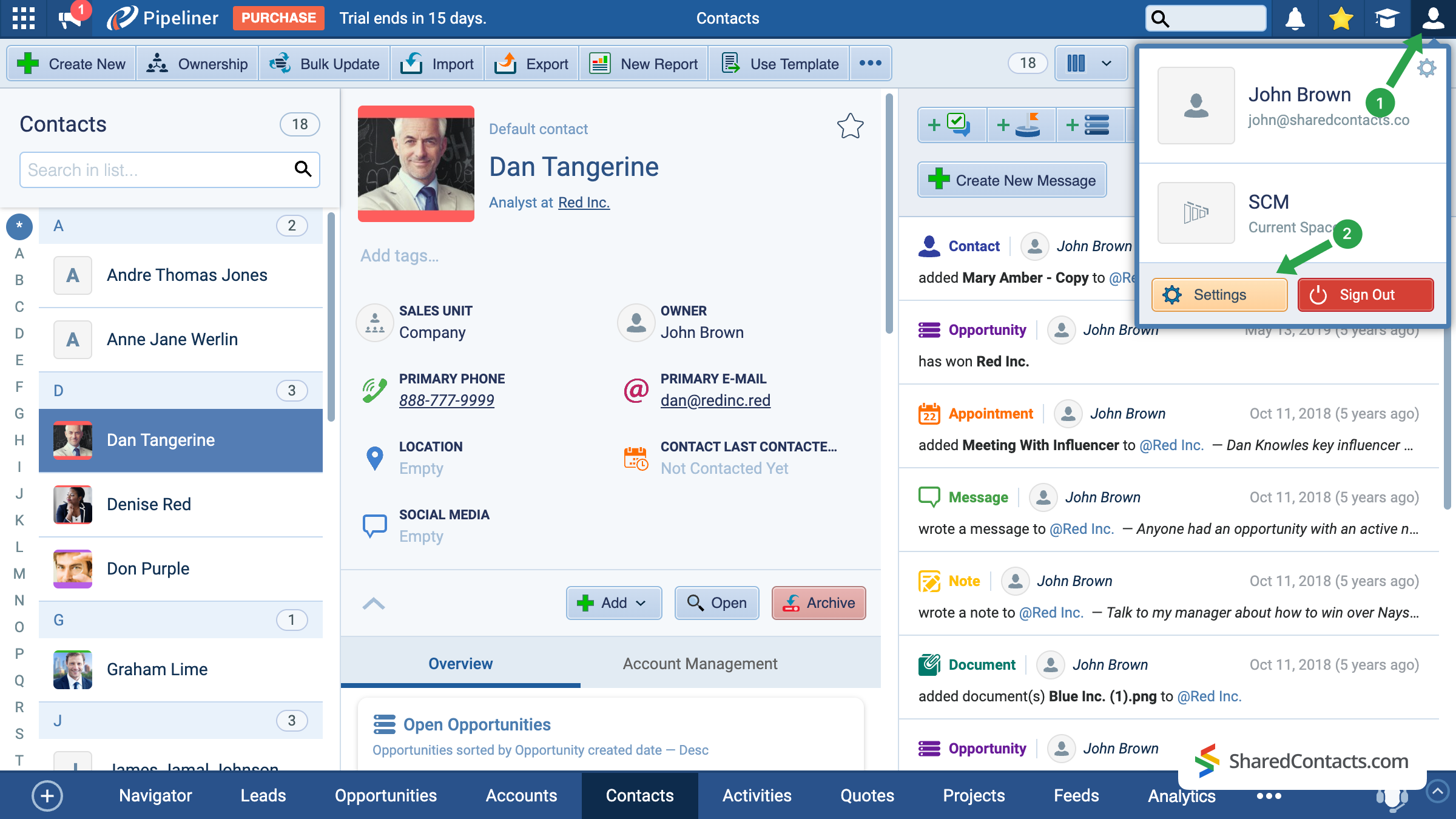
- 在 Pipeliner 主屏幕上,点击右上角的账户图标。
- 转到 设置.
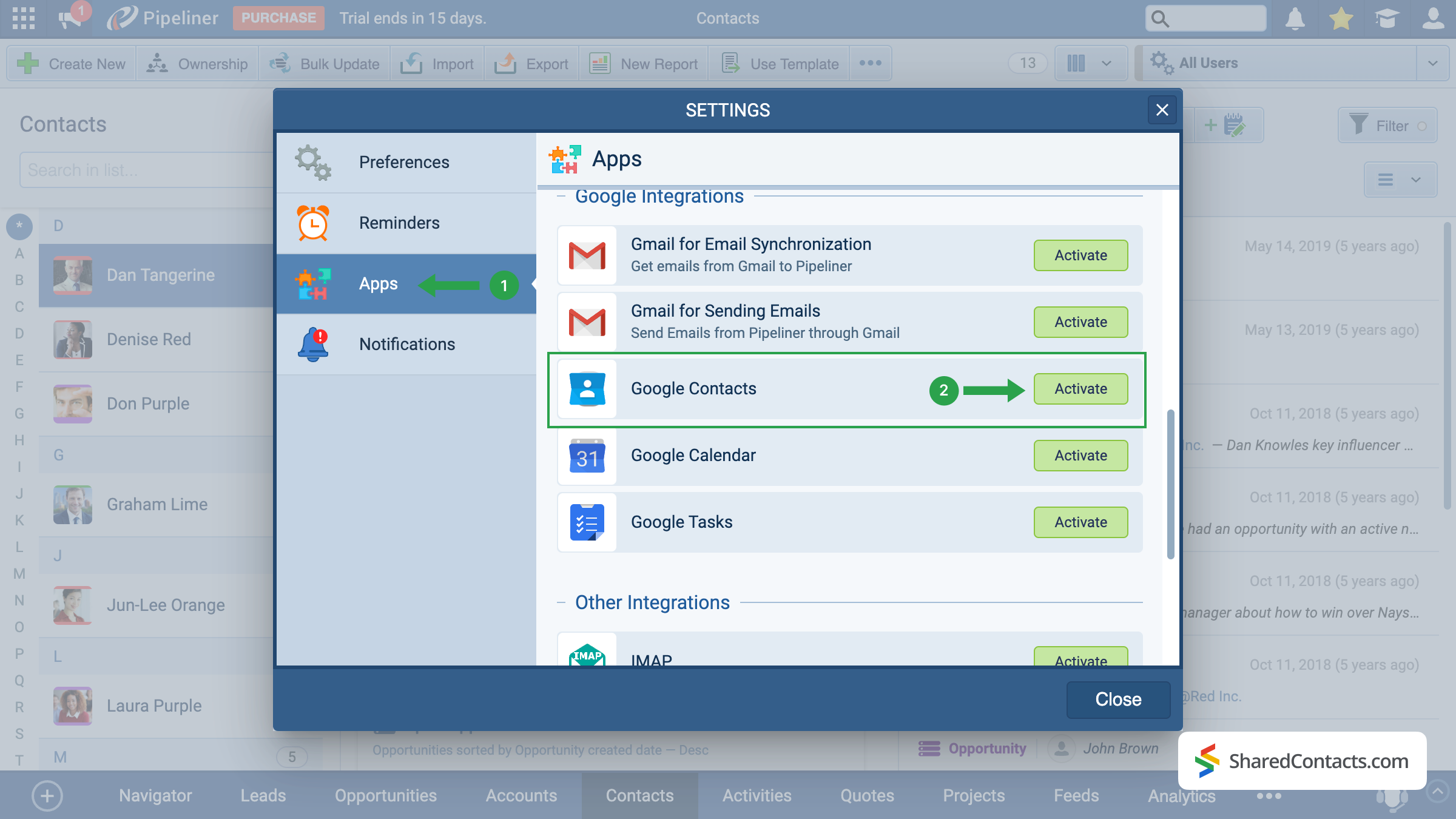
在可用的设置部分中,找到 应用 在屏幕左侧 (1),向下滚动菜单选项,找到 谷歌联系人.点击 激活 按钮 (2)。
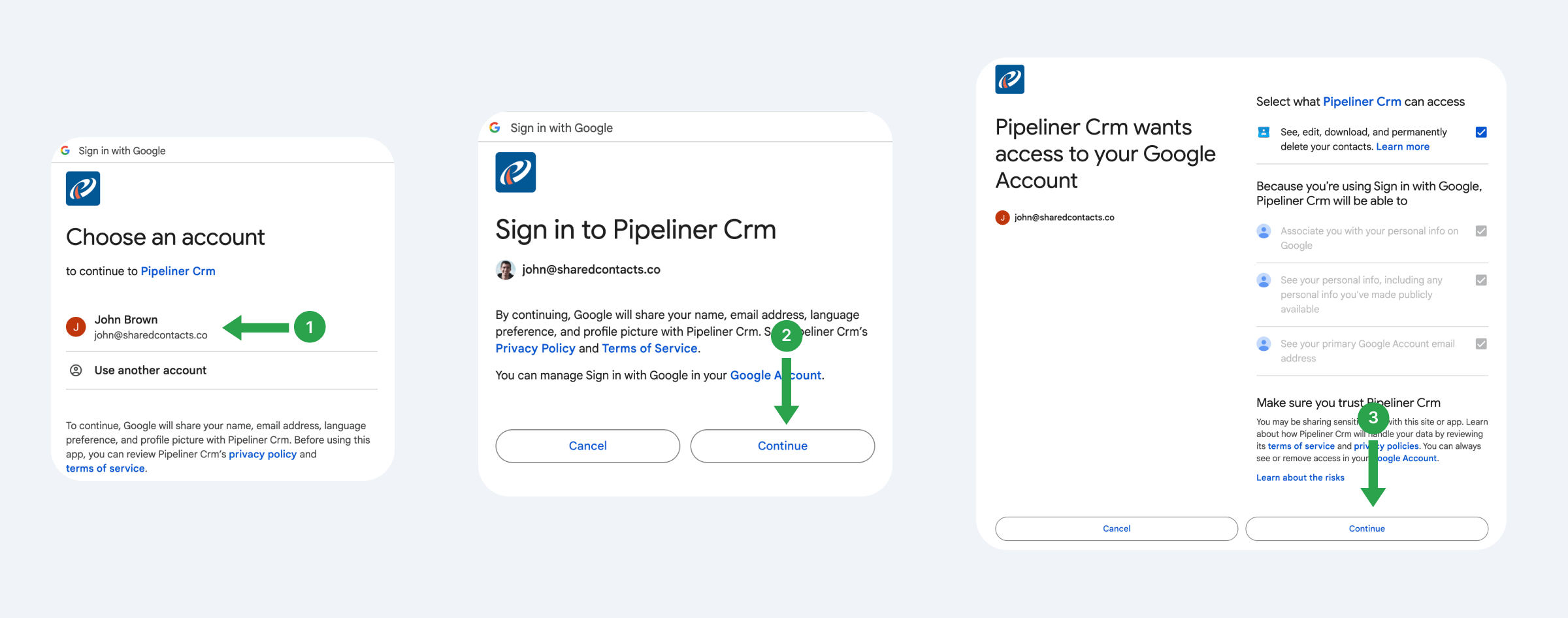
系统将为你提供连接 Gmail 账户的功能,你计划今后使用、跟踪和共享该账户中的联系人。
- 选择 Google 帐户。
- 阅读建议条款并点击 继续.
- 查看 Pipeliner 的访问权限,提供权限,然后点击 继续.
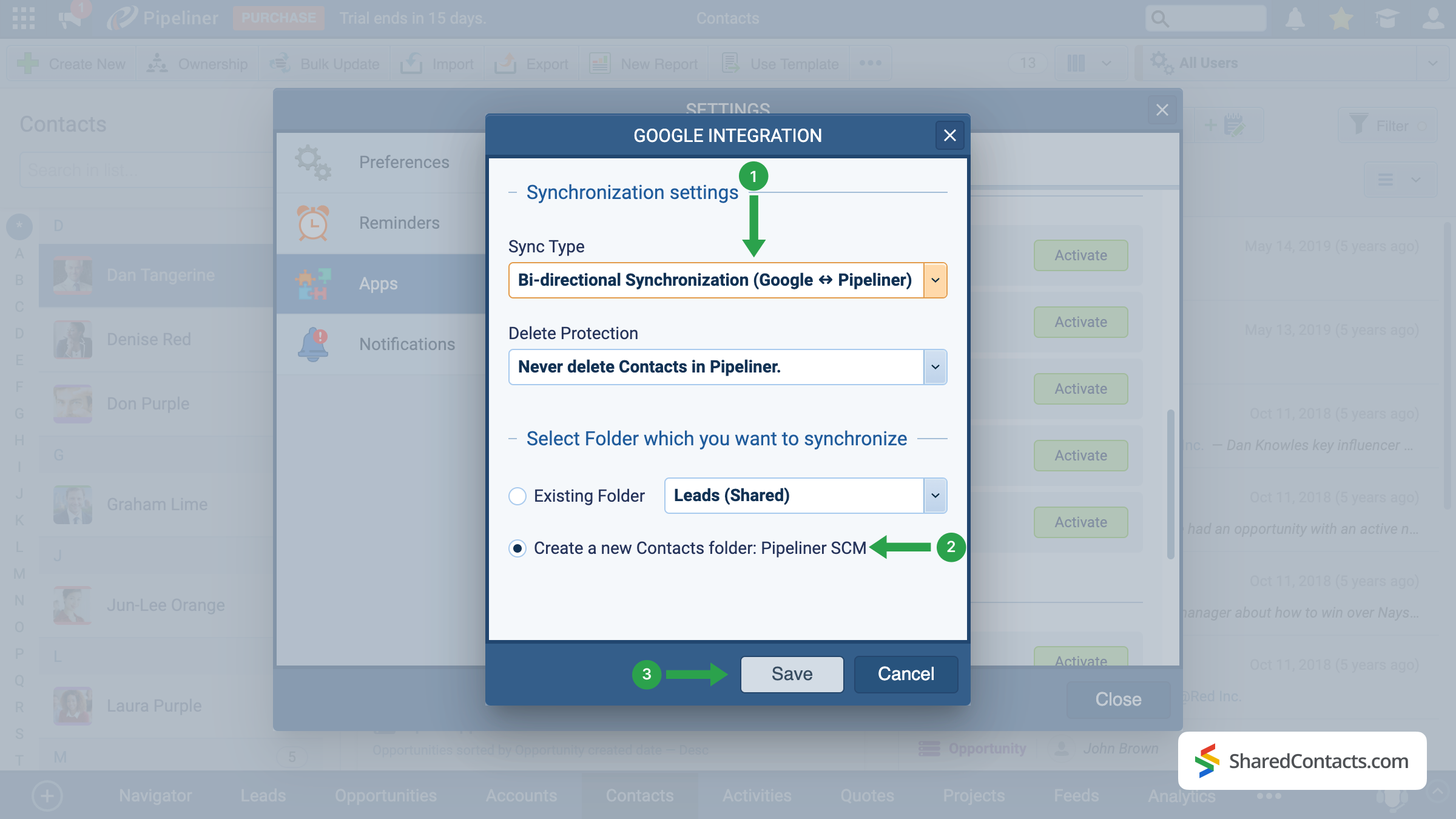
现在我们来设置同步设置,也就是 Pipeliner 与谷歌通讯录的交互方式。
- 选择同步类型。我们建议使用双向同步,以确保更新在两个平台上都得到反映。
- 选择要从 Pipeliner 发送联系人的现有标签或创建新标签。
- 单击保存应用配置。
重要提示 只有在设置后添加的新联系人才会自动同步。要同步已有的联系人,请使用导出和 舶来品 函数。
Share Pipeliner Contacts With the SharedContacts.com App
When the integration is successfully completed, we are ready to share your Pipeline contacts with your colleagues in a few simple clicks. To do this, access your SharedContacts.com account or 安装 如果您还没有申请的话。
With this setup, your CRM data effectively becomes Google contacts share ready — your team can work with the same up-to-date information directly in Google Workspace. Using SharedContacts.com on top of this integration means you’re not just syncing data, but actually controlling how it’s accessed. You can decide who gets view-only rights, who can edit details, and even share Pipeliner contacts with external partners. This turns a simple sync into a true collaboration tool, ensuring that everyone works from a single, accurate source of customer information without the need for extra CRM licenses.
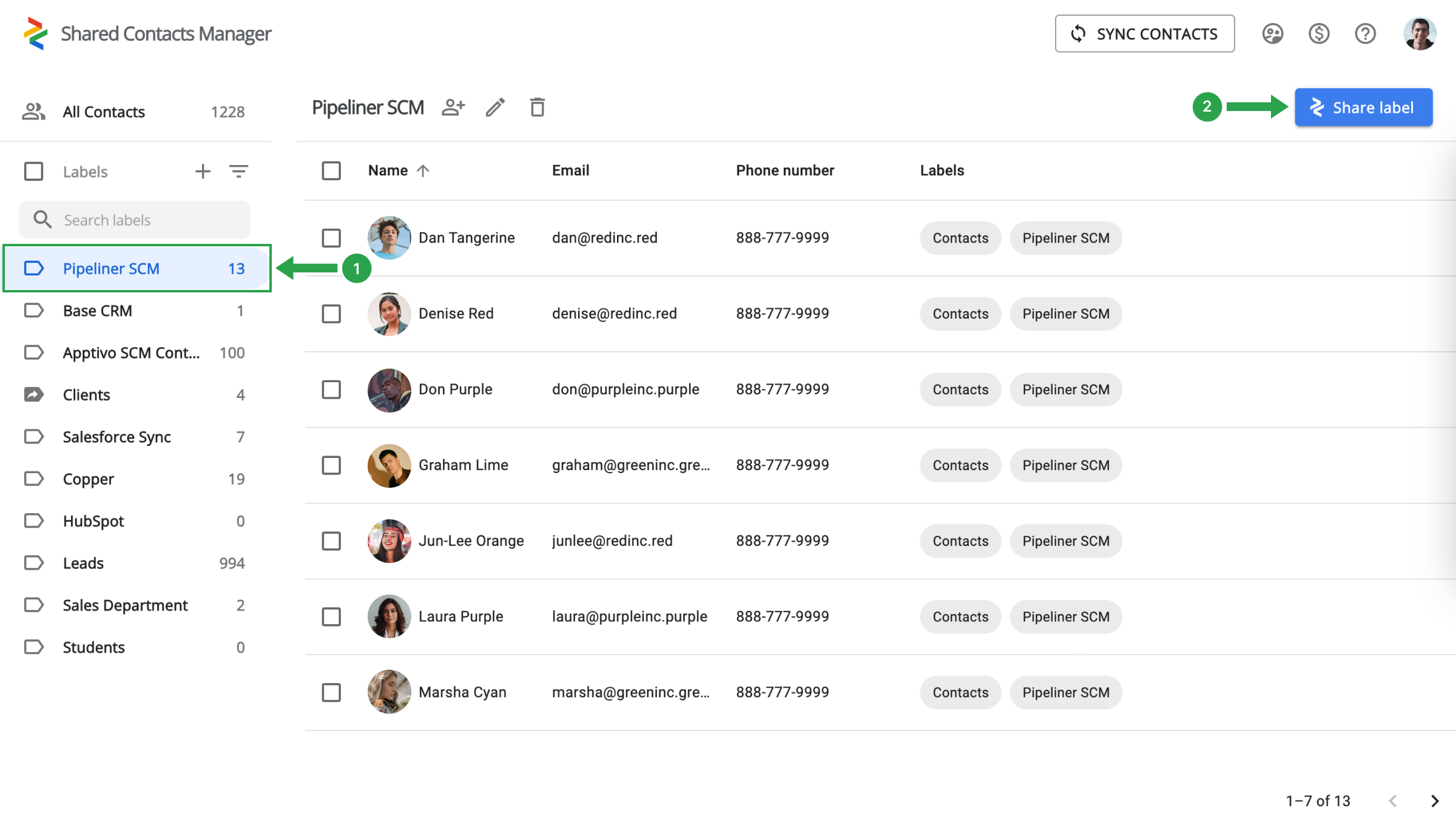
选择左侧的 Pipeliner 联系人文件夹 (1),然后点击共享标签 (2)。
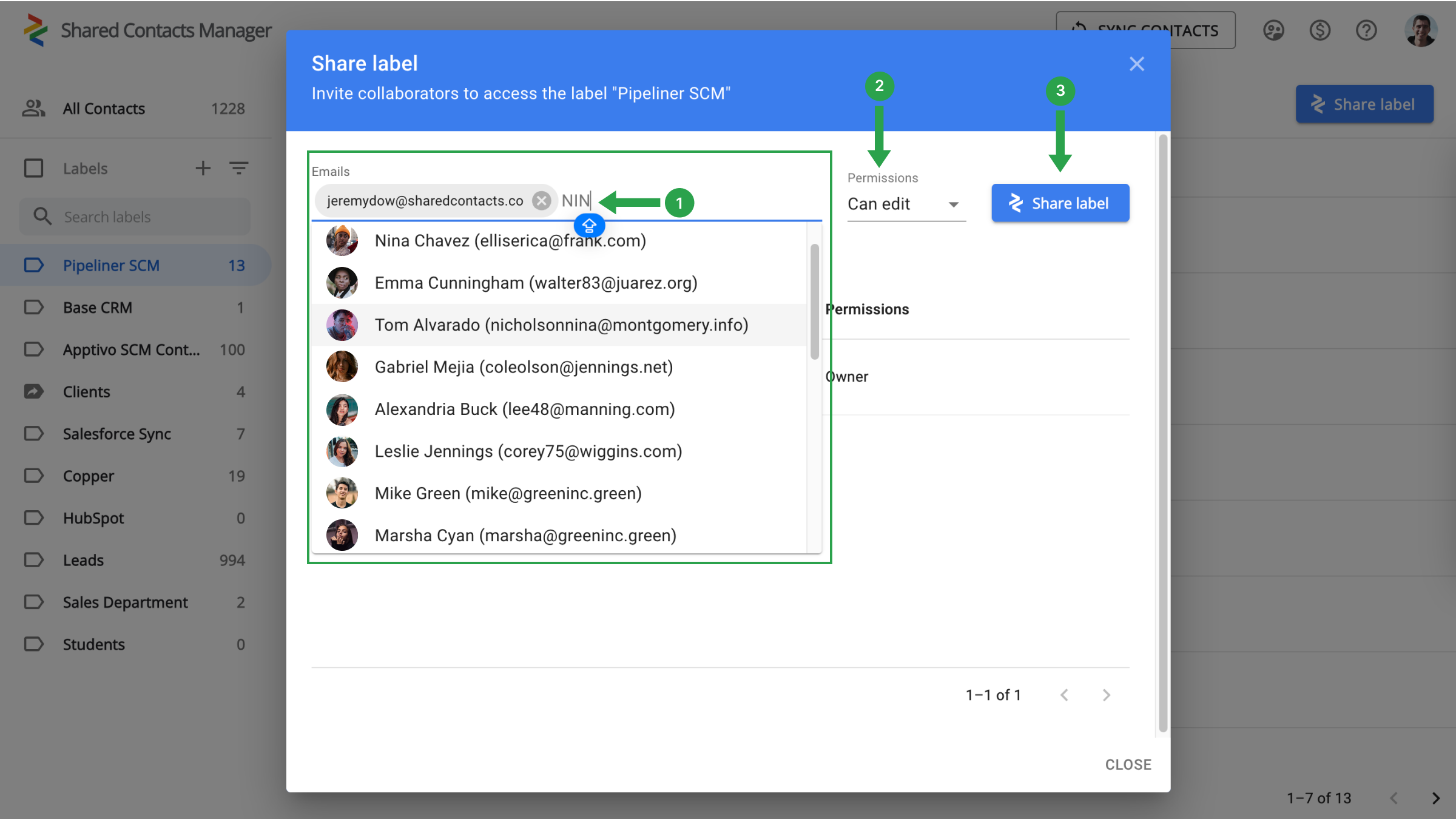
剩下要做的就是选择你想让谁访问联系人的同事,定义权限级别,然后开始共享。
- 在 "电子邮件 "字段中,通过从下拉列表中选择、输入电子邮件地址或按姓名搜索来选择合作者。
- 分配权限,指定同事可以对联系人执行的操作。
- 单击 "共享标签"。
关于谷歌和 Pipeliner CRM 集成的结论
Everything is ready for a new stage in your workflow when your team’s production will skyrocket and work efficiency will increase significantly. There is no longer a need to spend thousands on CRM payments. A single setup is sufficient, and the connection with Google and SharedContacts.com will take care of the rest. Just a quick and simple setup will help you save money, simplify contact management, and significantly increase the speed and productivity of your team.
相关文章
通过 Google Workspace 同步和共享 Zendesk 联系人,节省 CRM 成本并简化工作流程


没有评论