400 관리자_정책_적용 오류: 무엇이며 어떻게 해결하나요?
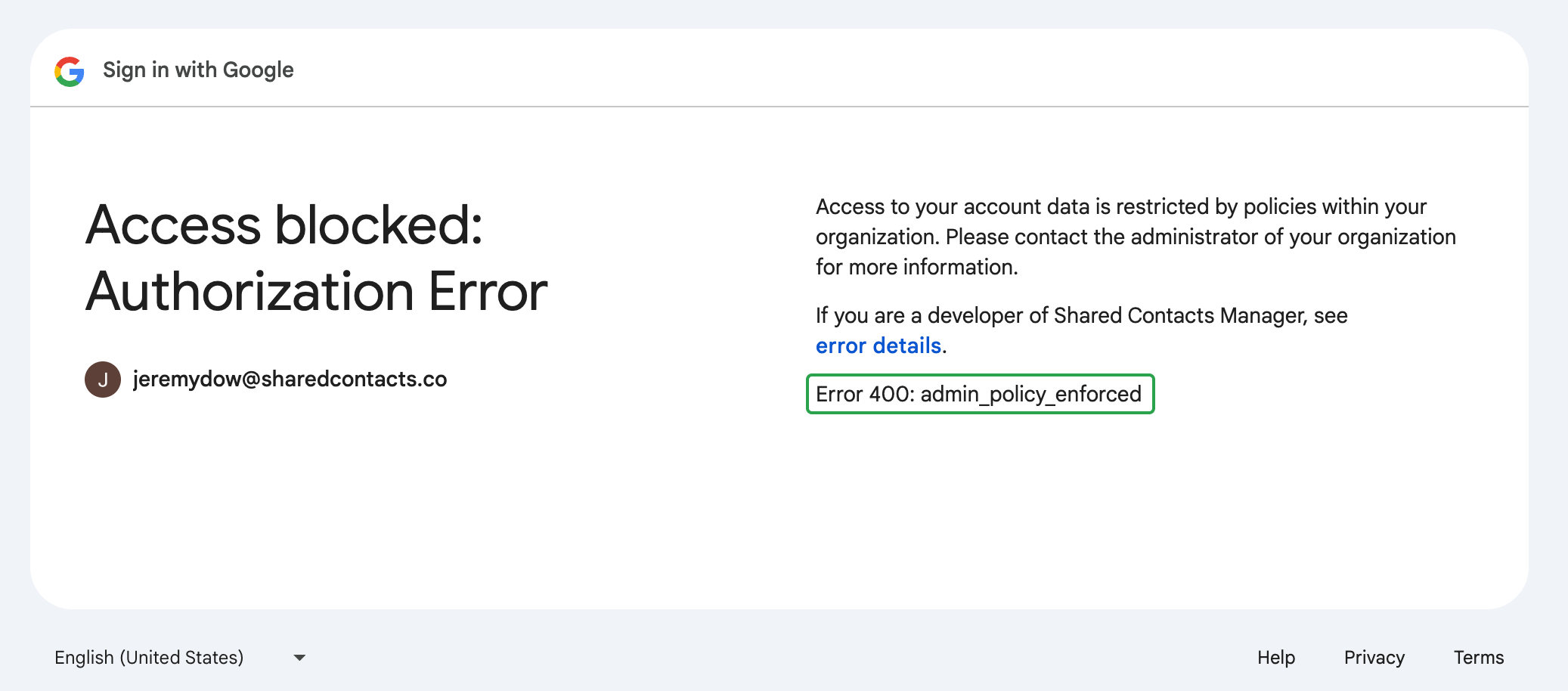
그리고 "400 관리자_정책_적용" error means that your Google Workspace administrator has set a policy preventing you from accessing SharedContacts.com as it’s a third-party application.
Here’s our detailed, step-by-step guide on how to quickly solve the 400 admin_policy_enforced error in Google Workspace. Watch and restore access to SharedContacts.com in no time.
Users can’t fix this error on their own. The issue is related to policies set at the administrator level. If you see this error message on your screen when trying to log in or access your SharedContacts.com account, you’ll need to contact your Google 워크스페이스 관리자 를 사용하여 문제를 해결하세요.
Google Workspace 관리자인 경우
If users in your Google Workspace domain encounter the “400 admin_policy_enforced” error, it indicates there is a policy blocking their access to SharedContacts.com. Most likely it’s third-party app access restrictions.
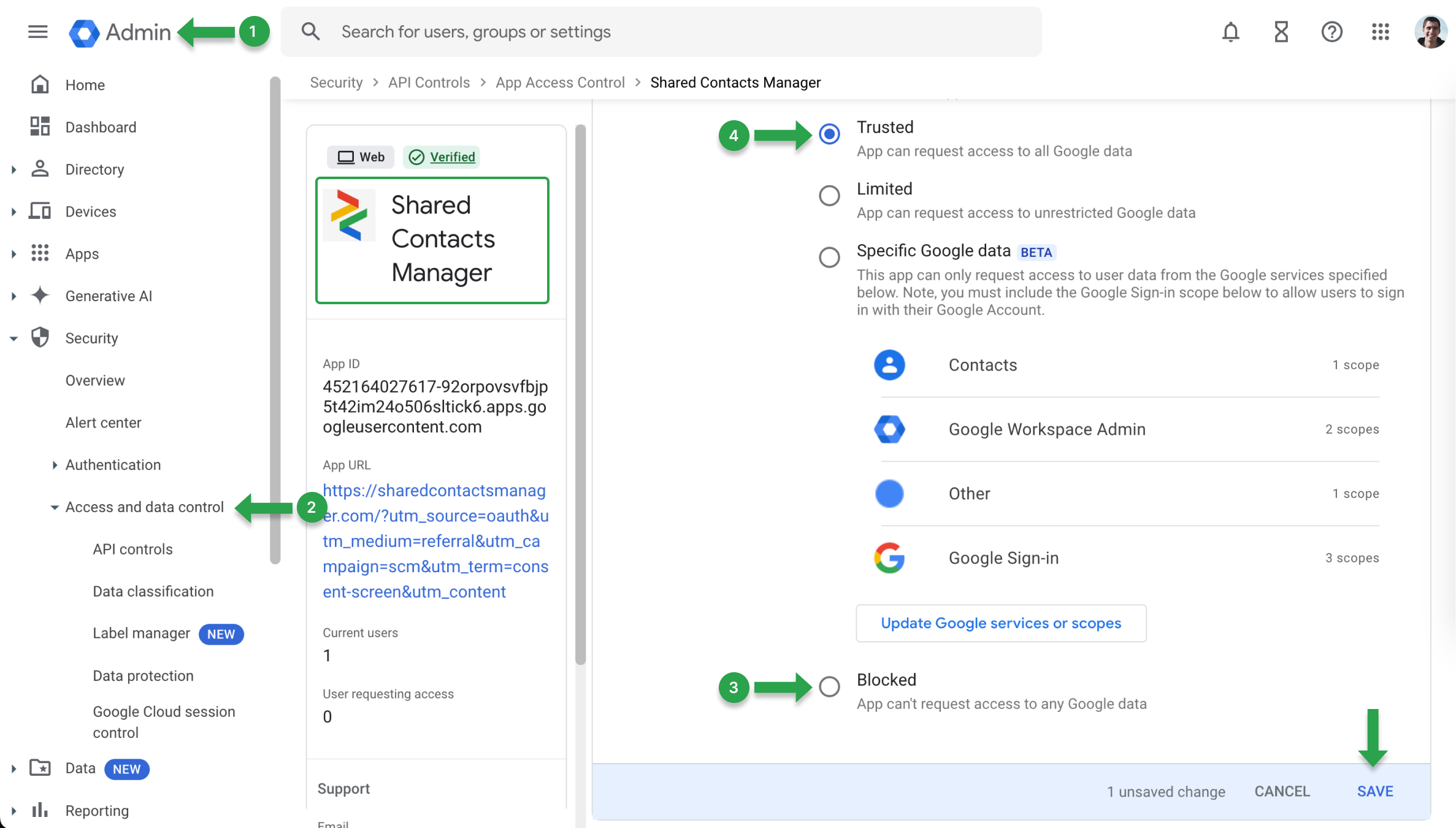
이러한 제한을 제거하려면 앱 액세스 정책을 업데이트하세요:
- 로 이동합니다. Google 관리 콘솔.
- 찾기 보안 을 클릭하고 API 컨트롤.
- 검색 SharedContacts.com을 클릭하고 Google 데이터에 액세스 메뉴가 있는지 확인하십시오. 차단됨.
- 다음과 같은 경우 차단됨을 클릭하고 설정을 다음과 같이 변경합니다. 신뢰 를 클릭하고 변경 사항을 저장합니다.
"400 admin_policy_enforced" 오류의 또 다른 원인은 차단된 Google 서비스로 인해 발생할 수 있습니다. 이를 확인하려면 다음에서 서비스 상태를 확인하세요. Google 관리 콘솔:
- 로 이동합니다. Google 관리 콘솔.
- 다음으로 이동합니다. 앱 을 클릭하고 Google 워크스페이스.
- 사용자가 문제를 겪고 있는 특정 서비스를 선택합니다.
- 서비스가 다음과 같은지 확인합니다. 켜짐 을 사용자의 조직 단위(OU)로 설정합니다. 전환된 경우 꺼짐로 전환하여 켜짐 를 클릭하여 액세스를 복원합니다.