与团队的 Google 账户共享 Zoho 联系人,节省 CRM 成本

主要收获:
- Zoho 联系人与 Google 的同步功能使团队能够即时共享和更新联系人信息。
- 设置过程简单直观,企业可快速配置并从集成中获益。
- SharedContacts.com provides a budget-friendly alternative to purchasing additional Zoho licenses.
- 通过自动同步和更新联系人,团队可以专注于更具战略性的任务,从而提高整体工作效率。
Zoho 是一款面向企业的云软件套件,其客户关系管理解决方案令人印象深刻。但是,对于一家普通的中小型公司来说,是否有可能在不支付以下费用的情况下,在整个团队中有效地使用 Zoho CRM 订阅服务呢? 巨额费用 for each user? With SharedContacts.com, teams can seamlessly complete a CRM to Google integration and share contacts between their members, even if they don’t have a Zoho CRM subscription for all users. By creating a SharedContacts.com account and connecting it with Google contacts, businesses can optimize their resources and reduce operational costs significantly while giving everyone in the company an opportunity to benefit from Zoho’s powerful contact management features. It takes only three short steps to get there and benefit from using Zoho business connections as 为 Google 共享联系人:
- 在谷歌通讯录中创建标签
- 将 Zoho CRM 联系人与 Google 联系人同步
- Share the label with your co-workers using SharedContacts.com
在谷歌通讯录中创建标签
让我们创建一个联系人文件夹(以下简称 "标签"),它将与 Zoho 同步,并包含可共享的联系人详细信息。
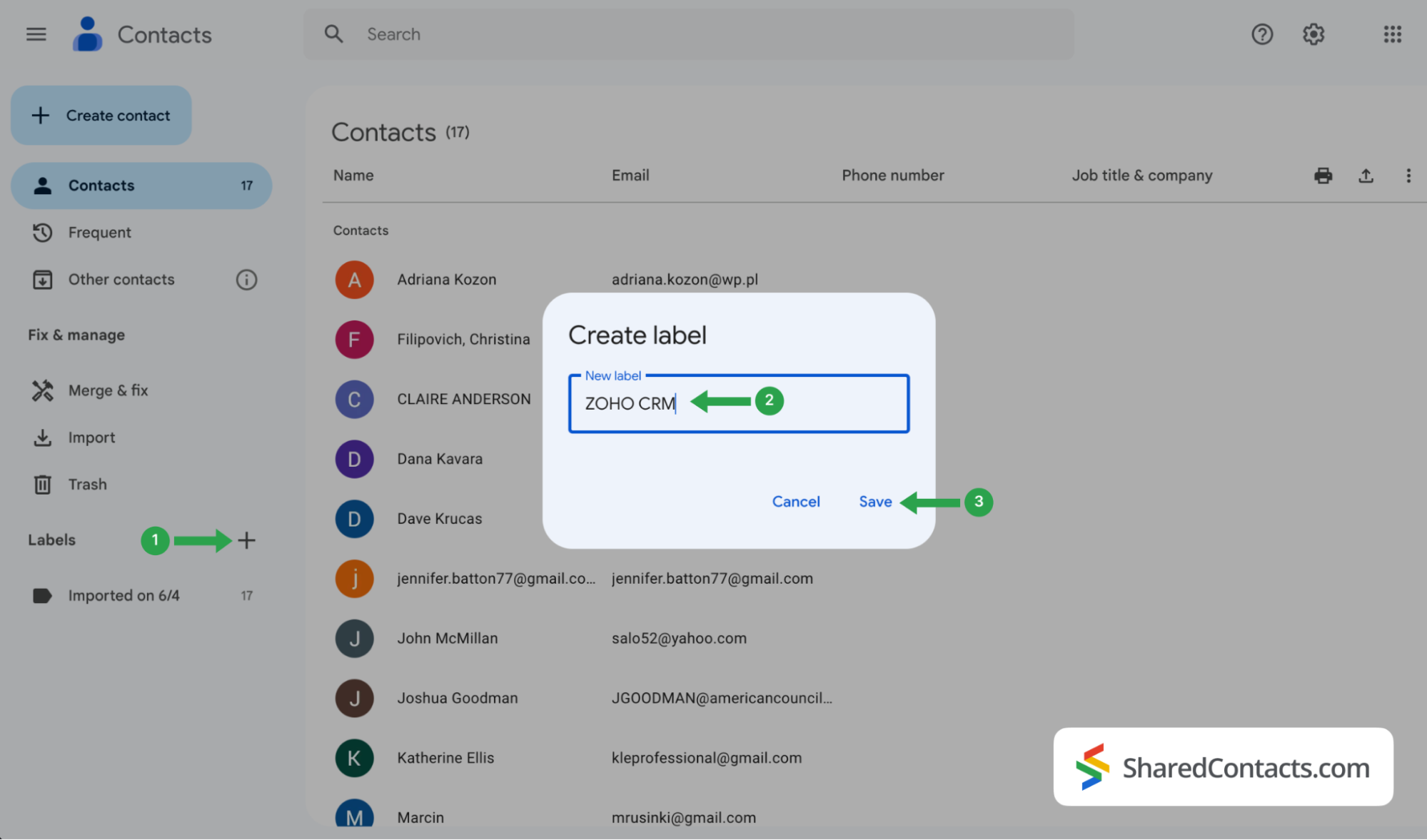
- 登录您的谷歌联系人并 点击 "+"图标.
- 在 创建标签 窗口,键入标签名称。为了便于进一步参考和即时显示联系人的来源,请选择一个方便的名称,例如 Zoho CRM。
- 点击 节省 来创建标签。
将 Zoho CRM 联系人与谷歌联系人同步
现在,您要将 CRM 系统中的联系人列表整合到 Google 通讯录中。
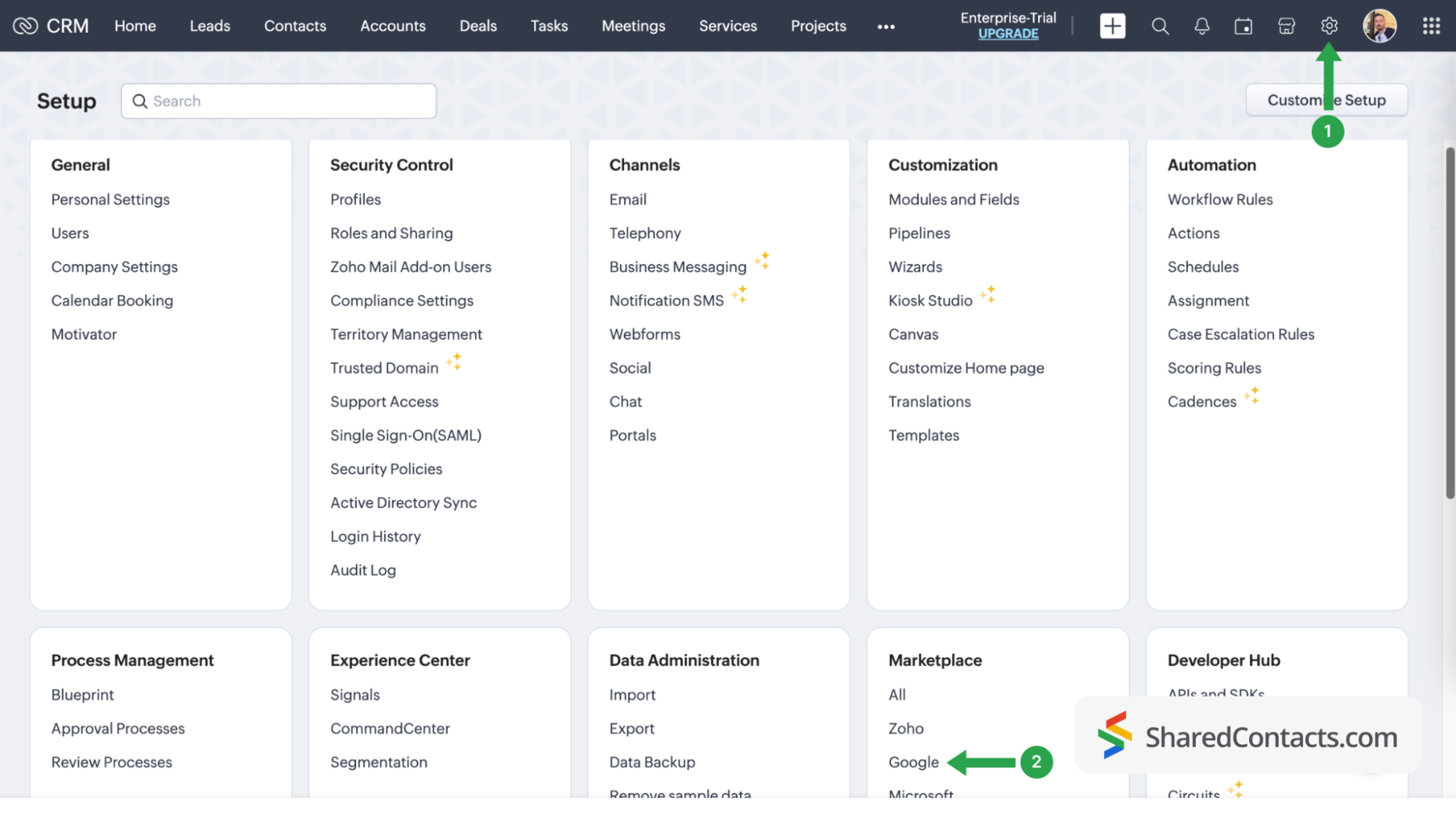
- 登录您的 Zoho 账户,点击 设置 图标。
- 查找并选择 "市场",然后选择 谷歌.
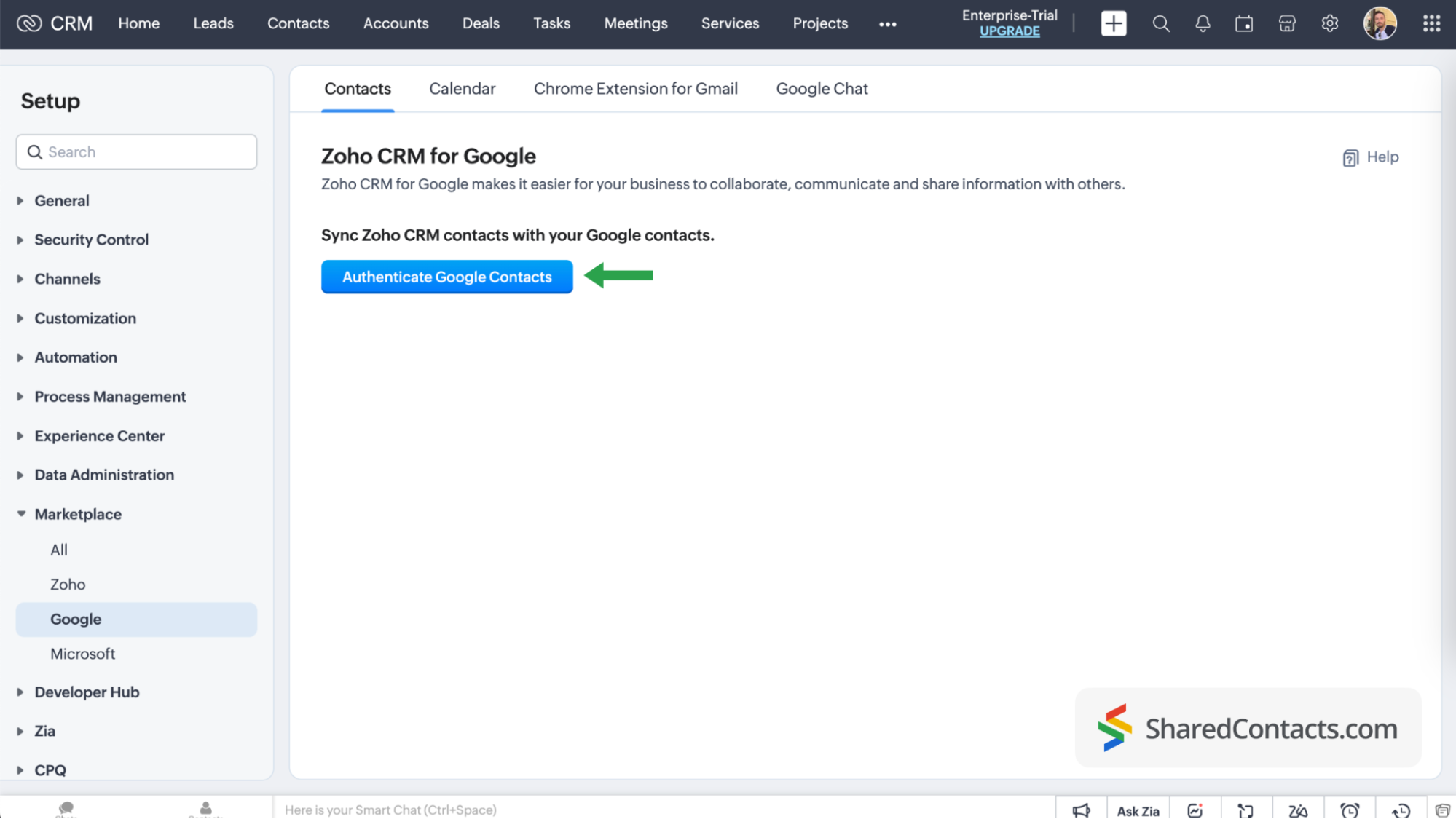
点击 验证 Google 联系人 并按照屏幕上的所有提示操作,为系统提供所需的访问权限。
在 "通讯录同步 "页面,继续以下步骤:
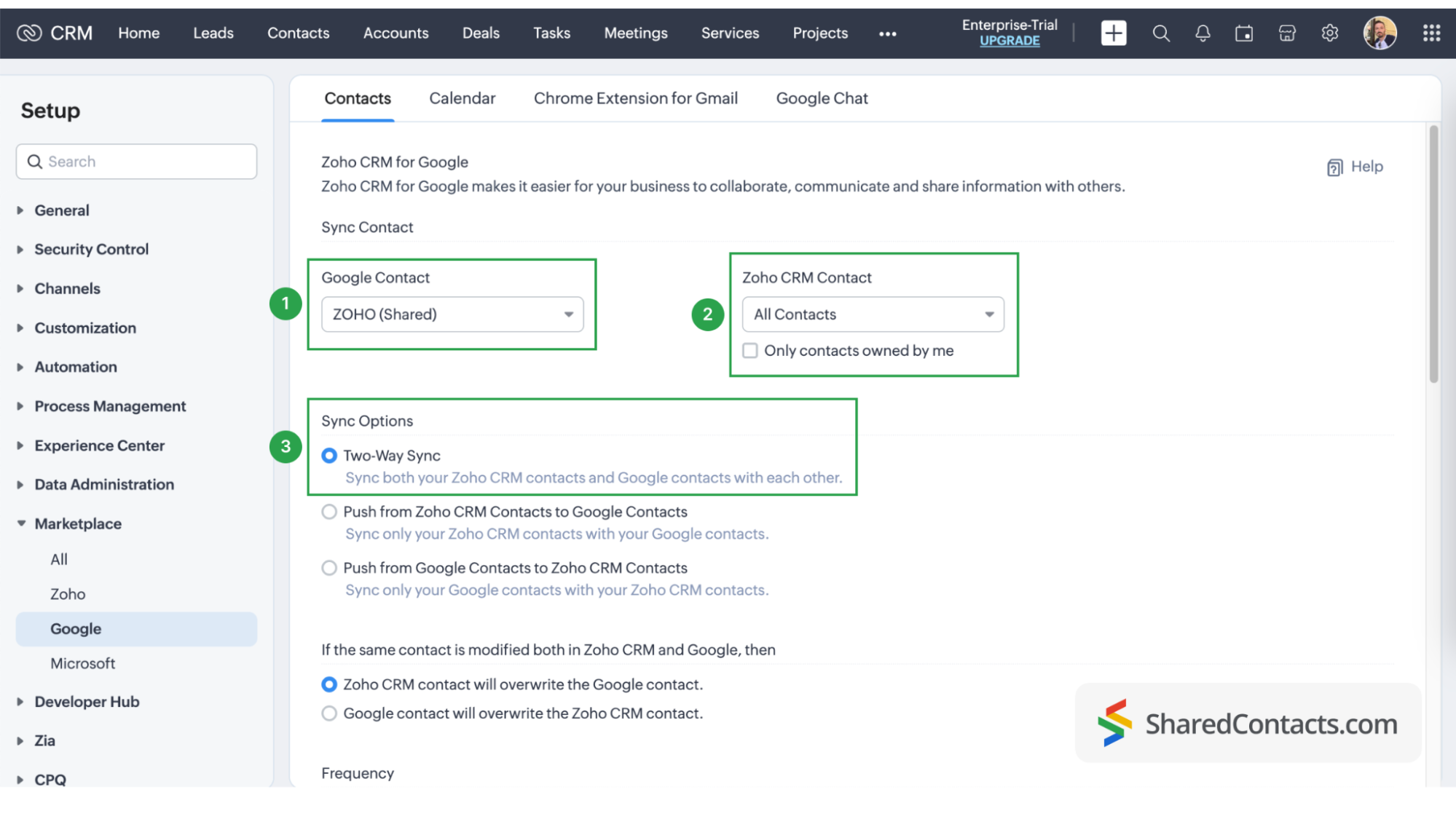
- 选择 ZOHO CRM 下的 Google 联系。
- 在 Zoho CRM 联系人下,单击下拉菜单,选择要与 Google 联系人标签同步的 CRM 联系人。选择 所有联系方式 如果您需要所有这些功能。
- 对于同步选项,选择 双向同步. This is necessary if you plan to provide non-licensed users with Can Edit permission in SharedContacts.com.
The final step in your Google contacts sync process is field mapping in Google and Zoho CRM. Customizing your fields allows you to decide which data from the CRM will be pulled into specific fields in Google Contacts and SharedContacts.com. Click the ‘Map More Fields’ link to add and map additional fields.
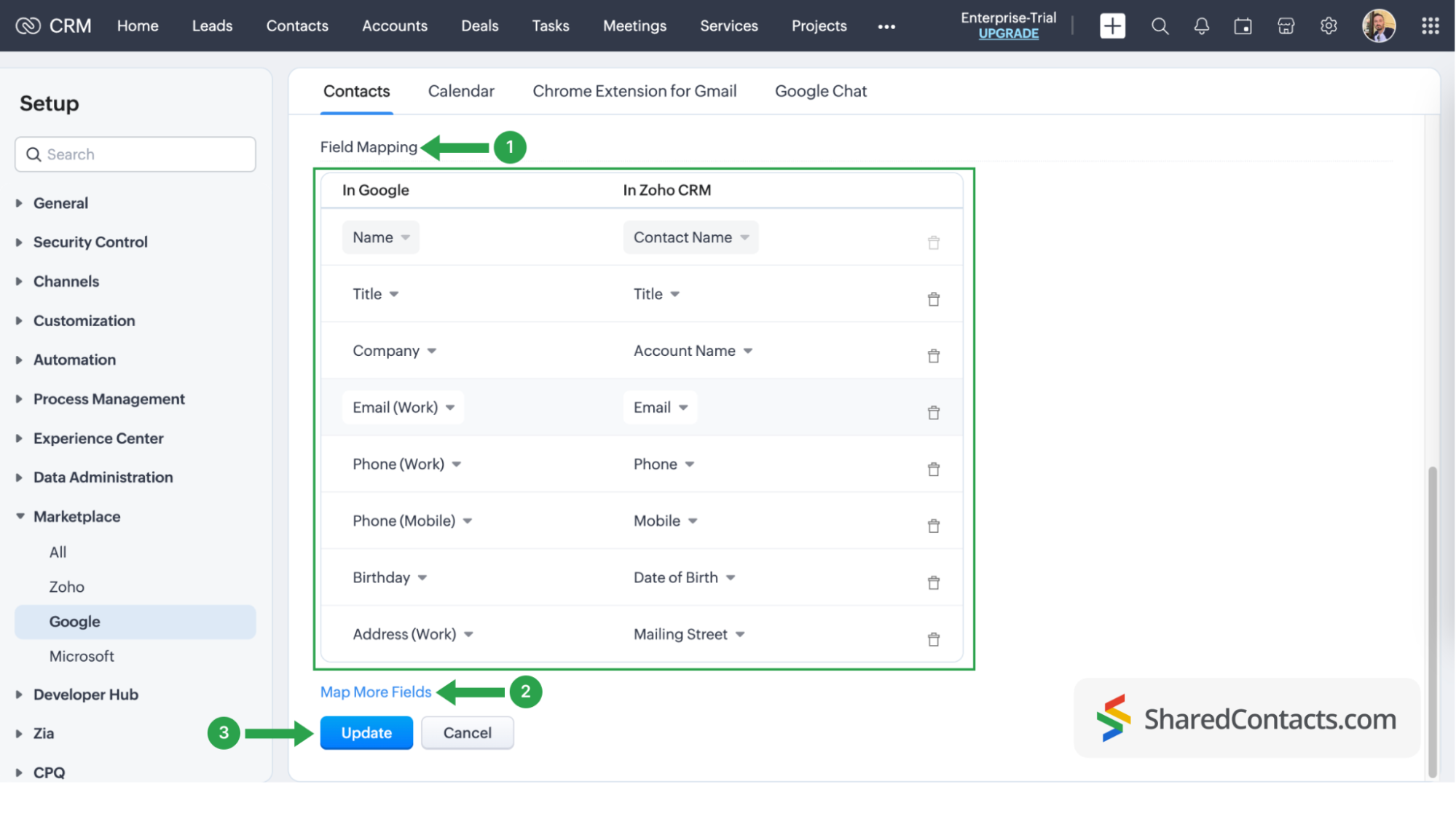
至此,您已将客户关系管理系统中的联系人与谷歌通讯录完全集成。记住,你可以随时返回 CRM 系统设置,删除同步、启动新的同步或调整联系人同步。
Share Your Zoho contacts using SharedContacts.com
Log into your SharedContacts.com account. If you don’t have the app yet, click 这里 进行安装。
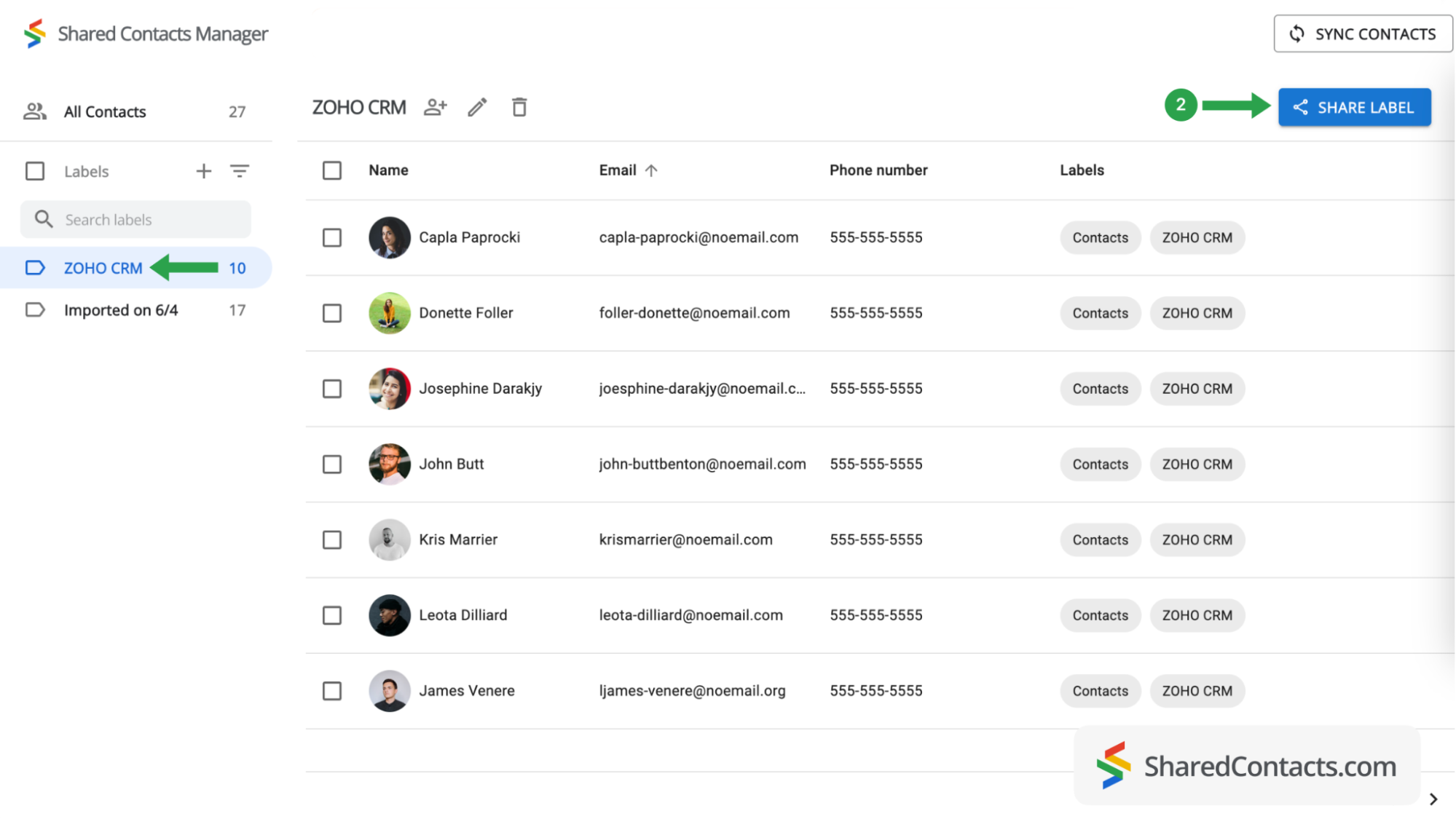
在左侧边栏的联系人列表中,你会发现 Zoho CRM 已与 Google 账户集成,其中已包含 CRM 系统中的联系人。你只需与需要访问这些联系人的同事分享即可。
- 选择 ZOHO CRM 标签,查看其联系人。
- 点击共享标签。
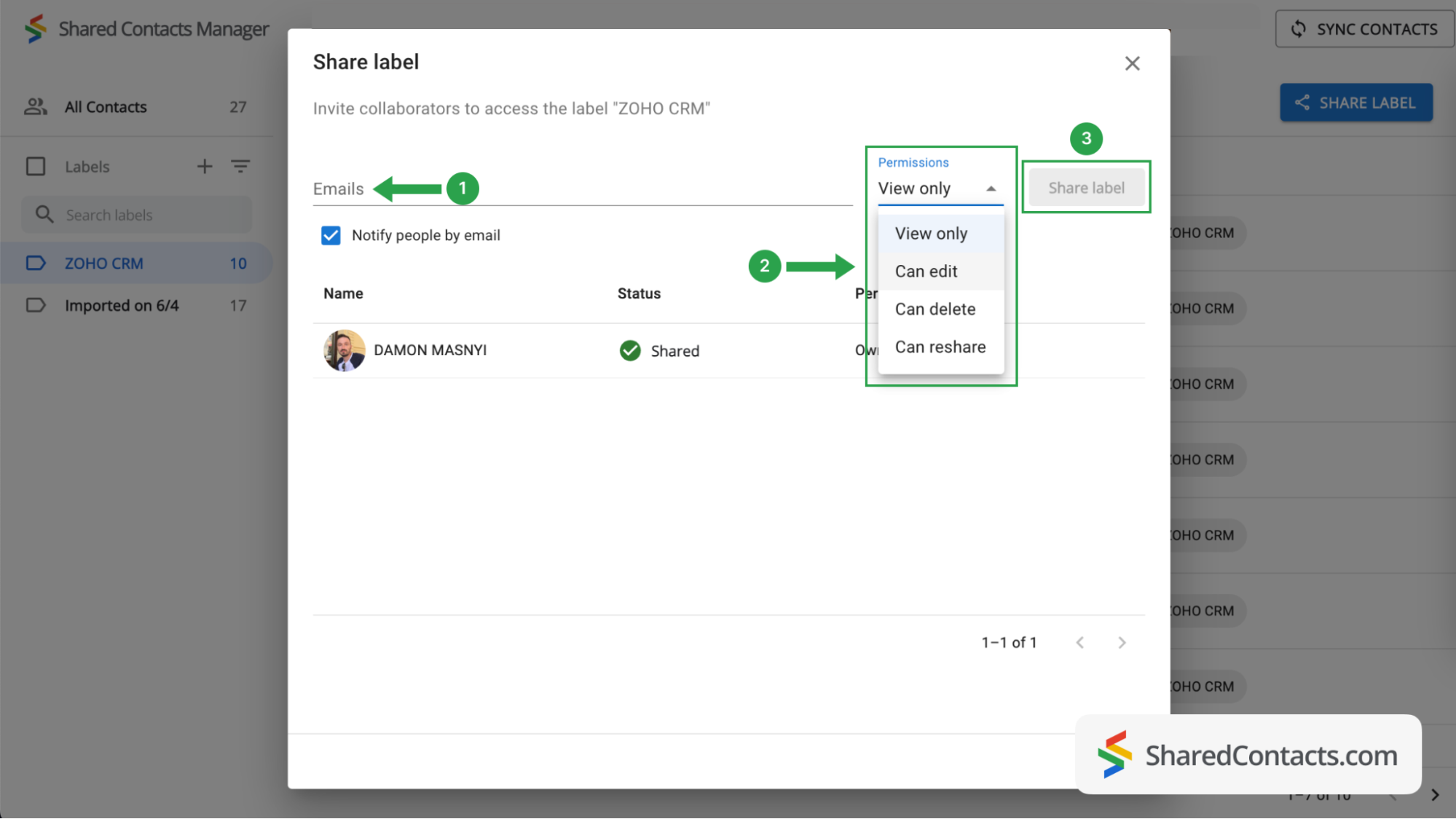
现在,需要选择谁可以访问该组中的联系人以及他们的权限级别。
- 要选择联系人,请在电子邮件字段中键入或粘贴他们的电子邮件地址。同事人数不限,以后还可以添加更多用户。
- Set a permission level by selecting one of the choices available. To get the most out of SharedContacts.com, we recommend giving your colleagues the Edit permission, which allows them to perform various actions with contacts. Their updates will sync across all team members and display the most relevant information.
- 单击 "共享标签",您赋予该联系人组访问权限的每个人都会收到一封电子邮件通知,告知他们可以根据授予的权限与标签内的联系人进行交互。 当您为标签添加合作者时,"共享标签 "按钮就会激活。
Now your Zoho CRM contacts are fully integrated, and thanks to SharedContacts.com, your selected co-workers have access to them. They can edit your contacts according to their assigned permission level.
底线
Integrating Zoho CRM with SharedContacts.com offers a simple and cost-effective solution for team collaboration and productivity. This integration allows businesses to share and update contact information easily, providing everyone access to the most current data without expensive additional CRM licenses.
相关文章
没有评论