400 admin_policy_enforced 错误:它是什么,如何修复?
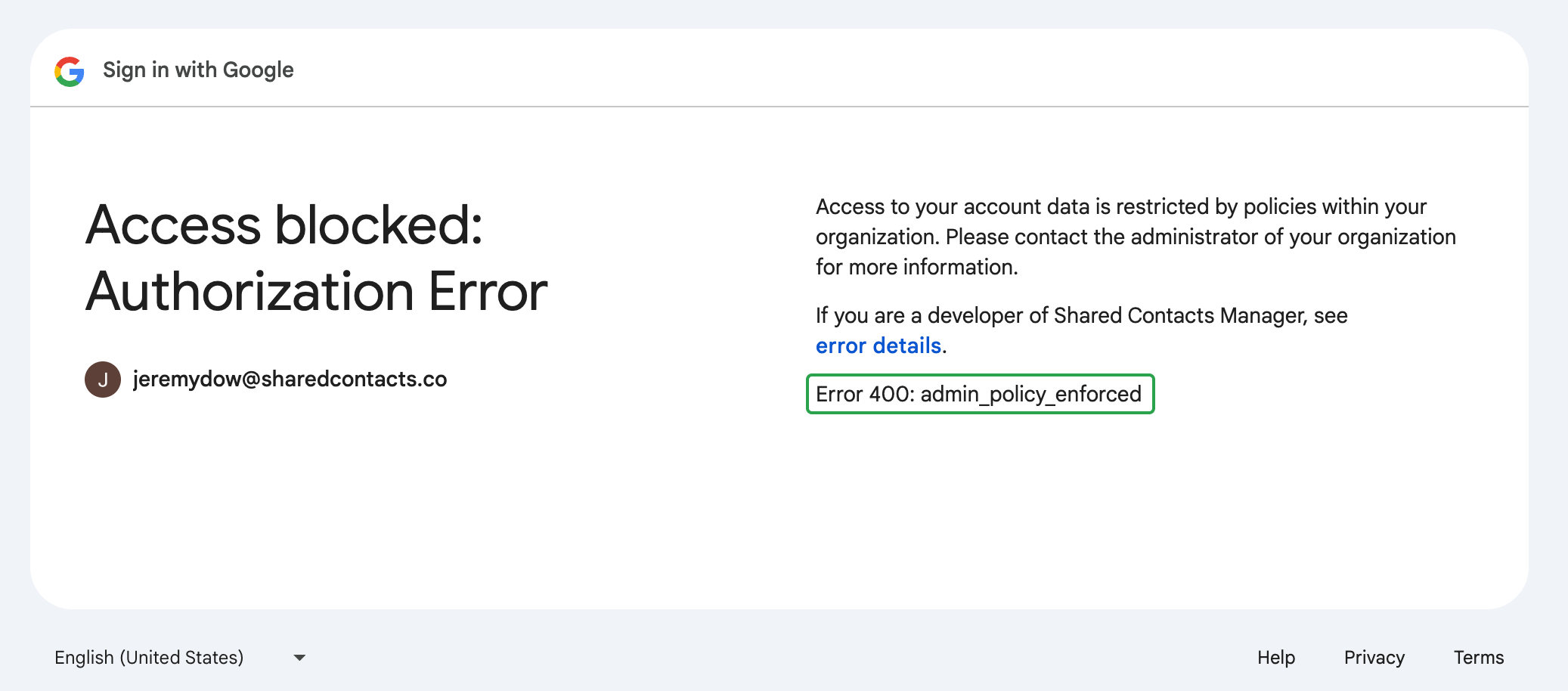
"(《世界人权宣言》) "400 admin_policy_enforced" error means that your Google Workspace administrator has set a policy preventing you from accessing SharedContacts.com as it’s a third-party application.
Here’s our detailed, step-by-step guide on how to quickly solve the 400 admin_policy_enforced error in Google Workspace. Watch and restore access to SharedContacts.com in no time.
Users can’t fix this error on their own. The issue is related to policies set at the administrator level. If you see this error message on your screen when trying to log in or access your SharedContacts.com account, you’ll need to contact your 谷歌工作空间管理员 来解决。
如果您是 Google Workspace 管理员
If users in your Google Workspace domain encounter the “400 admin_policy_enforced” error, it indicates there is a policy blocking their access to SharedContacts.com. Most likely it’s third-party app access restrictions.
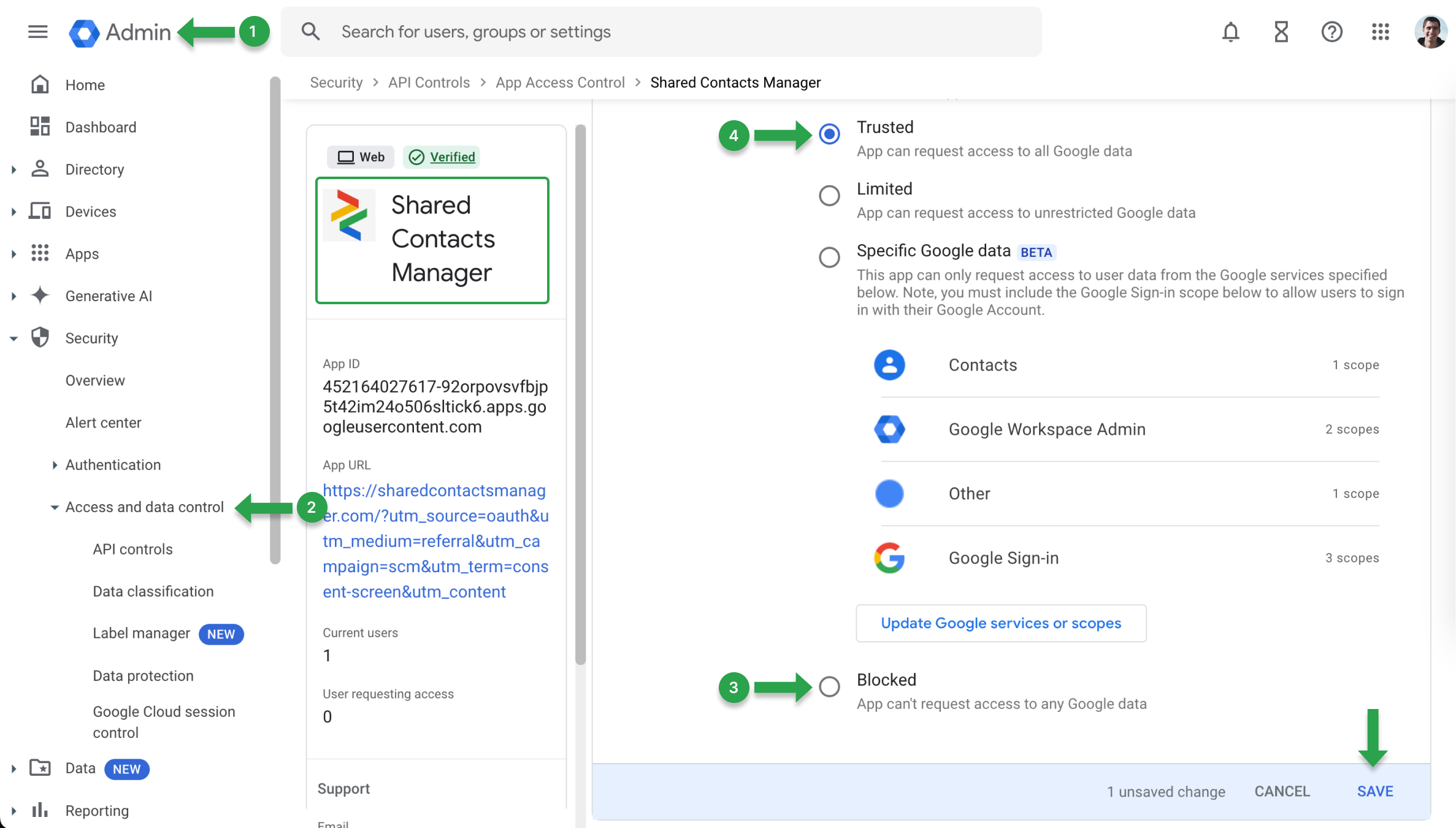
要取消这些限制,请更新应用程序访问策略:
- 前往 谷歌管理控制台.
- 查找 安全 并选择 API 控制.
- 搜索 SharedContacts.com并根据 访问 Google 数据 菜单,检查是否已 受阻.
- 如果是 受阻,将设置更改为 值得信赖 并保存更改。
出现 "400 admin_policy_enforced "错误的另一个原因可能是 Google 服务被阻止。要验证这一点,请在 谷歌管理控制台:
- 前往 谷歌管理控制台.
- 导航至 应用程序 并选择 谷歌工作空间.
- 选择用户遇到问题的具体服务。
- 检查服务是否 关于 用户的组织单位 (OU)。如果已打开 关闭,将其切换为 关于 以恢复访问。