如何卸载 Shared Contacts Manager?
要卸载应用程序,请参阅以下步骤 谷歌市场支持文章.
If you no longer need SharedContacts.com, or if you no longer want it to have access to your data, you can uninstall it by following the steps below.
如果您是个人用户
- 转到 谷歌工作空间市场 > 应用程序列表 查看所有已安装应用程序的列表。
- 选择要卸载的应用程序。
- 选择 卸载、 然后点击 卸载应用程序.
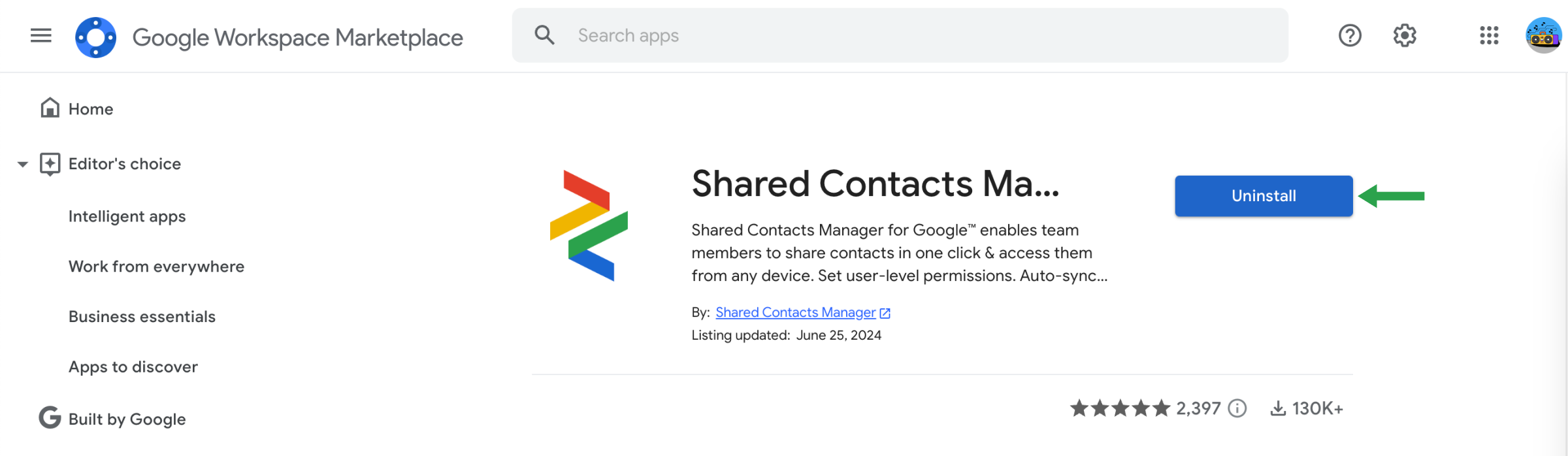
或者,您也可以打开应用市场中的应用列表,然后点击 卸载.
如果您是 Google Workspace 管理员
作为管理员,您可以卸载特定用户或整个组织的 Google Workspace Marketplace 应用程序。卸载应用程序后,用户将无法访问该应用程序,除非他们有权限自行重新安装。
卸载管理员安装的应用程序的步骤:
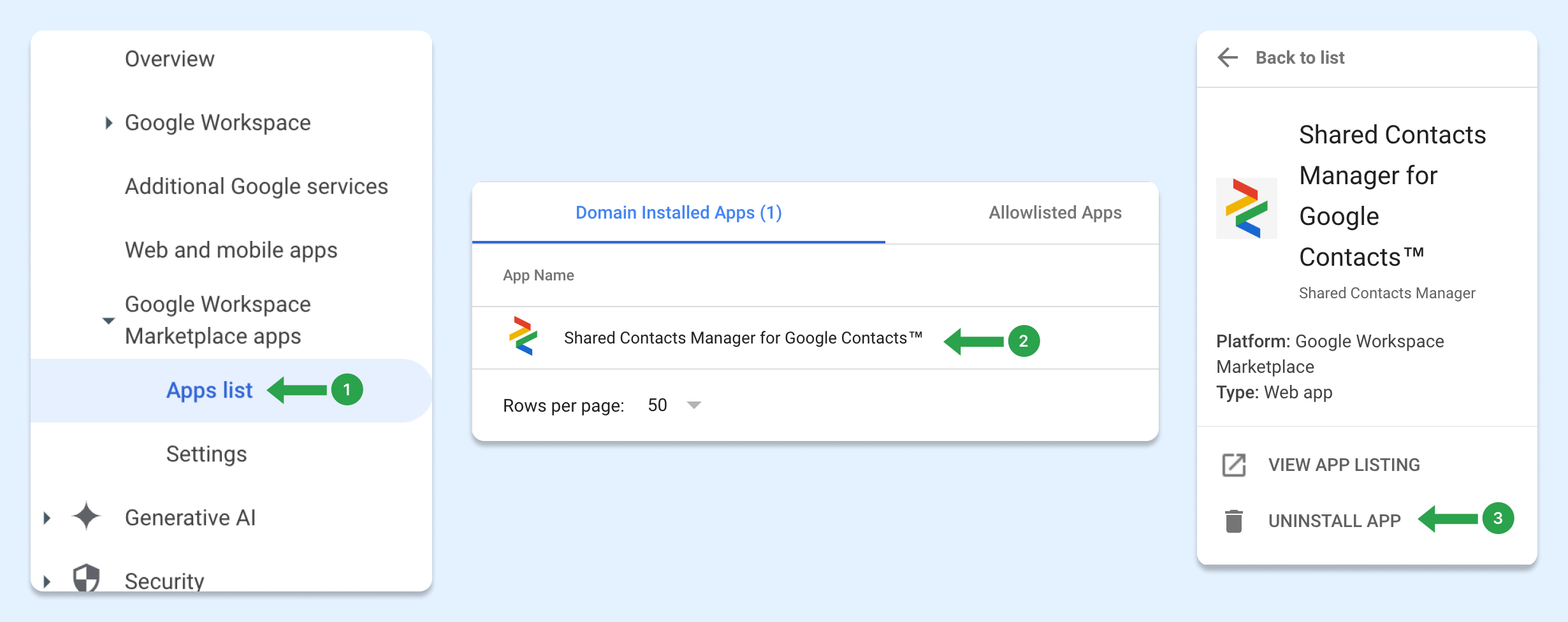
- 在 管理控制台,导航至 菜单 > 应用程序 > Google Workspace Marketplace 应用程序 > 应用程序列表.
- 在 域安装应用程序 单击要卸载的应用程序名称。
- 在左侧点击 卸载应用程序.
- 要确认,请单击 卸载.
卸载后,除单独安装的用户外,其他用户将无法再访问该应用程序。
How to disconnect SharedContacts.com from your Google Account
Uninstalling the app doesn’t fully remove its access to your Google account. To completely disconnect SharedContacts.com, follow these steps:
- 前往您的 谷歌账户设置 于 myaccount.google.com
- 在左侧菜单中,点击 安全.
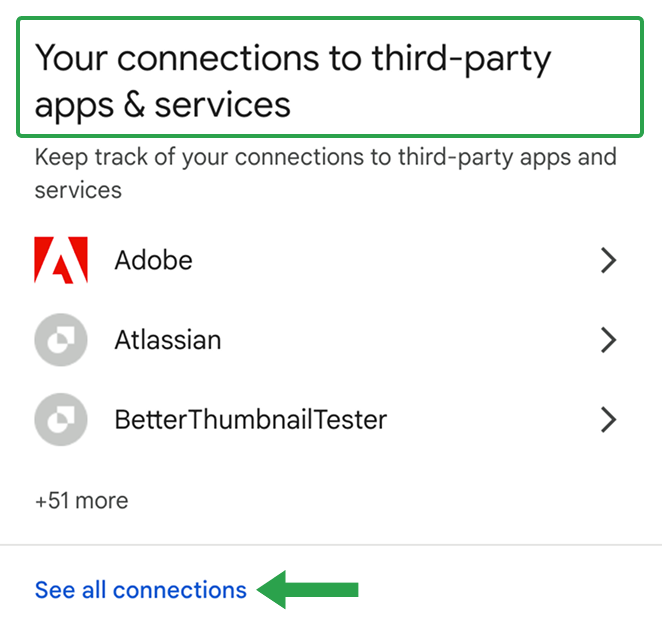
- 向下滚动到 "您与第三方应用程序和服务的连接"。
- 点击 查看所有连接.
- 查找 SharedContacts.com 在列表中。

- 点击它,然后选择 "删除所有连接"。

- 按提示确认断开连接。
SharedContacts.com will no longer have access to any part of your Google account.